

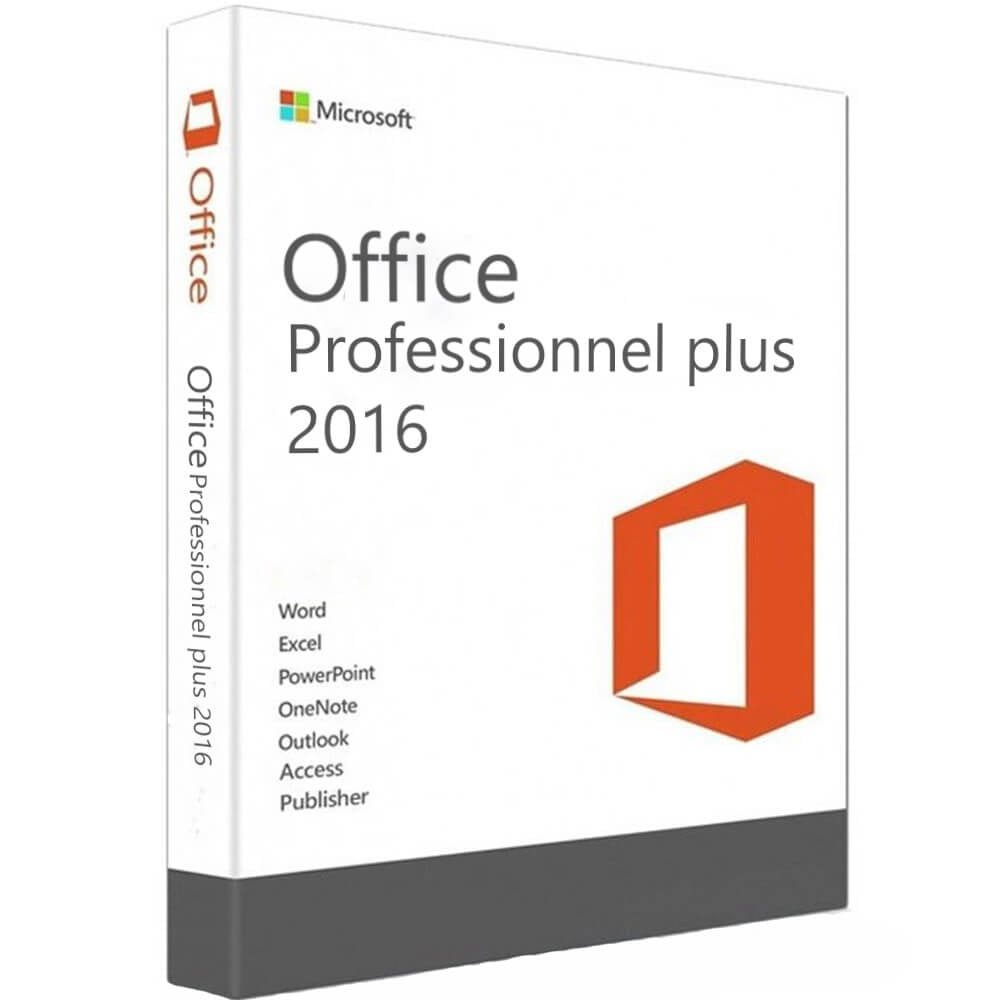
Microsoft Office 2016 Professional Plus – Phone Activation
Microsoft Office 2016 Professional Plus is a desktop productivity suite designed for compatible Windows installations. It provides a collection of Microsoft Office applications that can be used for documents, spreadsheets, presentations, email, databases, notes, and other everyday productivity tasks.
If you are looking for Office 2016 Professional Plus with phone activation information, this product page provides an overview of the software, its applications, compatibility considerations, installation information, and important lifecycle details.
Table of Contents
- Microsoft Office 2016 Professional Plus Overview
- Key Features
- Office 2016 Applications
- Compatibility
- Phone Activation
- Installation Information
- License Information
- Important Support Information
- Frequently Asked Questions
- Related Nexlic Products
- Conclusion
Microsoft Office 2016 Professional Plus Overview
Microsoft Office 2016 Professional Plus is one of the editions included in Microsoft’s Office 2016 product family. Microsoft lists Professional Plus among the Office 2016 editions and provides separate documentation for Office 2016 Professional Plus.
Office 2016 was designed to provide familiar desktop productivity applications for users who need tools for writing, calculations, presentations, email, databases, and document publishing.
The suite can be relevant for users who specifically require Office 2016 because of an existing software environment, compatibility requirements, or familiarity with this Office generation.
Key Features of Microsoft Office 2016 Professional Plus
Depending on the licensed edition and installation configuration, Office Professional Plus 2016 provides access to a range of Microsoft productivity applications.
Important applications associated with Office Professional Plus include:
- Microsoft Word
- Microsoft Excel
- Microsoft PowerPoint
- Microsoft Outlook
- Microsoft OneNote
- Microsoft Access
- Microsoft Publisher
Microsoft’s service documentation lists Word, Excel, PowerPoint, OneNote, Outlook, Publisher, and Access for Office Professional Plus 2016.
These applications cover a wide range of common productivity requirements.
Office 2016 Applications
Microsoft Word
Microsoft Word is designed for creating and editing documents such as letters, reports, contracts, assignments, and other text-based files.
Microsoft Excel
Excel provides spreadsheet functionality for calculations, tables, formulas, data organization, and analysis.
Microsoft PowerPoint
PowerPoint allows users to create presentations, slideshows, business presentations, and educational projects.
Microsoft Outlook
Outlook provides tools for email, calendars, contacts, and other communication-related tasks.
Microsoft OneNote
OneNote can be used to organize notes, information, ideas, and project material.
Microsoft Access
Access provides database functionality for organizing and managing structured information.
Microsoft Publisher
Publisher is designed for creating publication-style documents such as brochures, flyers, newsletters, and other layouts.
Microsoft Office 2016 Professional Plus Compatibility
Before installing Microsoft Office 2016 Professional Plus, it is important to verify that the product and license are compatible with your computer.
Microsoft’s current documentation distinguishes between Office 2016 volume-licensed and retail versions when describing Windows compatibility. Microsoft also states that Office 2016 support has ended.
For this reason, customers should verify the exact edition, license type, Windows version, and installation requirements before purchasing or installing the software.
For official information, consult Microsoft’s Office suites and system requirements documentation.
Office 2016 Phone Activation
This product is presented as Office 2016 Professional Plus with phone activation. The exact activation procedure depends on the license and activation method supplied with the product.
Customers should follow the activation instructions provided with their license and ensure that the installed Office edition corresponds to the license being activated.
Do not attempt to activate a different Office edition with a license intended for another edition.
For official Microsoft information about Office 2016 and its lifecycle, you can also consult the Microsoft Office 2016 lifecycle documentation.
Installation Information
Before installing Microsoft Office 2016 Professional Plus, make sure you have:
- A compatible Windows installation
- The appropriate Office installation files
- The applicable license or activation information
- Sufficient storage for the installation
- The correct Office edition for your license
If another version of Microsoft Office is already installed, compatibility and installation requirements should be checked before proceeding.
For organizations and technical users, Microsoft provides Office 2016 deployment documentation, which covers deployment and management information for Office 2016.
License Information
The exact license classification for this Nexlic product should be verified against the license supplied with the purchase.
Microsoft identifies Office Professional Plus 2016 as an Office 2016 edition and documents it separately from other Office editions.
For this reason, this product description does not make unsupported claims about retail, OEM, volume, lifetime, or permanent licensing.
Customers should review the license information supplied with the product before installation and activation.
Important Office 2016 Support Information
An important consideration before purchasing Microsoft Office 2016 Professional Plus is its current support status.
Microsoft states that support for Office 2016 ended on October 14, 2025. Microsoft may no longer provide technical support, bug fixes, or security fixes for newly discovered Office 2016 vulnerabilities after the end-of-support date.
Office 2016 applications may continue to function after the end of support, but Microsoft warns that unsupported software can carry increased security risks over time.
Therefore, customers should consider this lifecycle information carefully and verify that Office 2016 is appropriate for their particular requirements.
Related Microsoft Products
If you are looking for other Microsoft software, visit the Nexlic software store to explore available Windows and Office products.
Add Your Real Nexlic Internal Product Links
To satisfy Rank Math’s internal-link test, add links here to real existing Nexlic pages:
- Microsoft Office 2021
- Microsoft Office 2024 →
[INSERT REAL NEXLIC URL] - Windows 10 →
[INSERT REAL NEXLIC URL] - Windows 11 →
[INSERT REAL NEXLIC URL]
Do not publish placeholder URLs. Replace them with the actual URLs of your Nexlic products.
Frequently Asked Questions
What is Microsoft Office 2016 Professional Plus?
Microsoft Office 2016 Professional Plus is an Office 2016 edition containing a range of Microsoft productivity applications, including Word, Excel, PowerPoint, Outlook, OneNote, Access, and Publisher.
What applications are included with Office 2016 Professional Plus?
The Office Professional Plus 2016 suite includes Word, Excel, PowerPoint, OneNote, Outlook, Publisher, and Access according to Microsoft’s service documentation.
What is Office 2016 phone activation?
Phone activation refers to an activation process that uses telephone-based activation rather than relying exclusively on online activation. The exact process depends on the license and activation method supplied with the product.
Is Office 2016 still supported?
No. Microsoft ended support for Office 2016 on October 14, 2025.
Can Office 2016 continue to work after support ended?
Microsoft states that Office 2016 applications may continue to function after the end-of-support date. However, Microsoft no longer provides normal security fixes, bug fixes, or technical support for newly discovered issues.
Should I check compatibility before installing Office 2016?
Yes. Check your Windows version, Office edition, license type, and installation requirements before installation.
Where can I find official Office 2016 information?
Microsoft provides Office 2016 documentation covering deployment, lifecycle information, system requirements, and support status.
Conclusion
Microsoft Office 2016 Professional Plus provides a comprehensive collection of desktop productivity applications, including Word, Excel, PowerPoint, Outlook, OneNote, Access, and Publisher.
If you specifically need Office 2016 and have a compatible environment, review the product’s license and activation requirements carefully before installation.
Most importantly, Microsoft ended Office 2016 support on October 14, 2025. Customers should take this into account when deciding whether this older Office version fits their current software requirements.


Reviews
There are no reviews yet.