

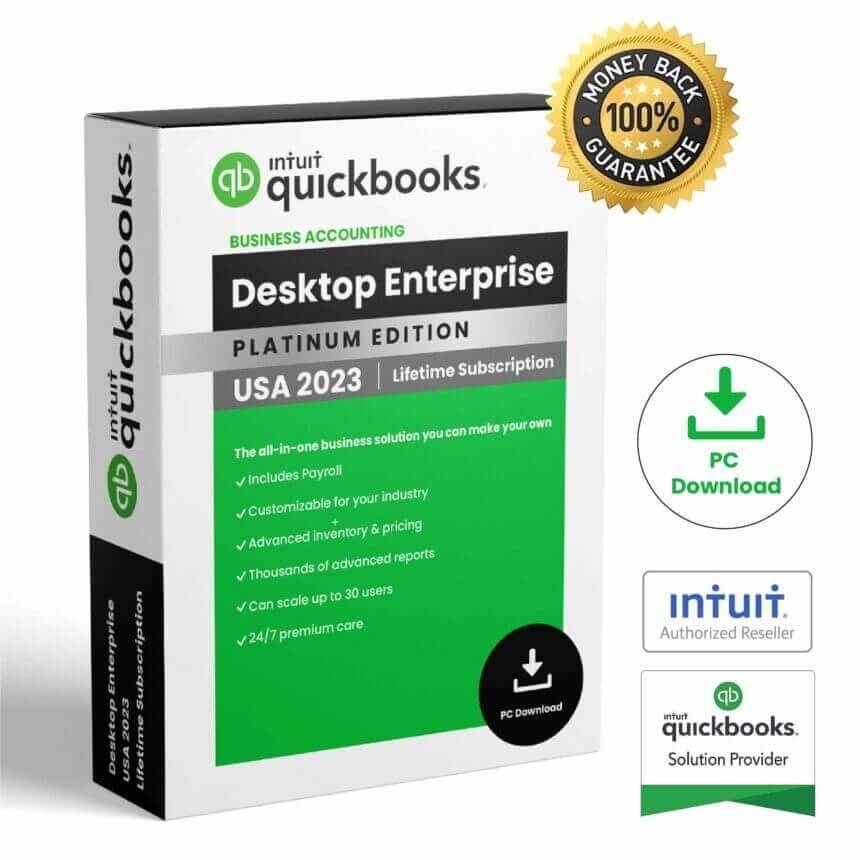
QuickBooks Enterprise 2023 is desktop accounting software designed for businesses that need accounting, reporting, inventory, order management, and other business-management capabilities in a Windows environment. It is part of the QuickBooks Desktop Enterprise 23.0 product family from Intuit.
Before purchasing QuickBooks Enterprise 2023, it is important to verify the exact product configuration, licensing terms, supported Windows environment, and the services available with the product. It is also important to understand the current support status of the 2023 release. Intuit states that QuickBooks Desktop 2023, including Enterprise Solutions 23.0, was discontinued after May 31, 2026.
QuickBooks Enterprise 2023 Overview
QuickBooks Enterprise 2023 is a desktop business accounting solution from Intuit. It was developed for businesses that require accounting and financial management tools together with additional business-management functionality.
QuickBooks Enterprise can support workflows involving accounting, financial reporting, inventory, orders, and other business activities. The exact functionality available depends on the Enterprise edition and the configuration associated with the product.
Intuit’s documentation identifies the 2023 Enterprise release as Enterprise 23.0. The official system requirements page covers QuickBooks Pro, Premier, and Enterprise 23.0.
For official QuickBooks information, visit the QuickBooks Enterprise page.
QuickBooks Enterprise 2023 Accounting Features
QuickBooks Enterprise 2023 provides a desktop environment for managing business accounting information. Businesses can use QuickBooks Desktop Enterprise for accounting workflows, financial information, and reporting, depending on their product configuration.
Financial Management
Accounting software helps businesses organize financial transactions and maintain business records. QuickBooks Enterprise provides a desktop environment for managing accounting information and related business activities.
Financial Reports
Business reporting is an important part of accounting software. QuickBooks Enterprise provides reporting capabilities that can help users review financial and operational information within the QuickBooks environment.
Business Accounting
QuickBooks Enterprise 2023 can be used as part of a broader business accounting workflow. Businesses should identify the reports, accounting functions, users, and other features they require before choosing a particular configuration.
QuickBooks Enterprise 2023 for Business
QuickBooks Enterprise 2023 was designed for business environments that require more extensive functionality than basic bookkeeping software.
The Enterprise platform combines accounting with business-management capabilities such as reporting, inventory, and order management. The exact features available can depend on the Enterprise edition and associated services.
This makes it important to evaluate your company’s actual requirements before purchasing. Consider the number of users, accounting workflows, reporting needs, inventory requirements, integrations, and Windows environment you will use.
Inventory and Order Management
Inventory and order management are important capabilities associated with QuickBooks Desktop Enterprise.
For businesses that manage products or stock, connecting inventory information with accounting data can help organize business operations. QuickBooks Enterprise 2023 also supported certain hardware devices for Enterprise functionality, including barcode scanners listed in Intuit’s official 2023 requirements.
Intuit’s documentation specifically lists supported devices including the Honeywell Voyager 1602g, Socket Mobile CHS 7CI, and Symbol CS3070 for QuickBooks Desktop Enterprise 23.0.
Reports and Financial Information
QuickBooks Enterprise 2023 provides business reporting functionality designed to help users work with financial and operational information.
Reports can be useful for reviewing business activity, organizing financial information, and supporting everyday business decisions. Available reports and capabilities depend on the QuickBooks product configuration.
Businesses should verify their specific reporting requirements before purchasing, especially when they need specialized reports or integrations with other applications.
QuickBooks Enterprise 2023 Installation
Before installing QuickBooks Enterprise 2023, make sure your Windows computer meets the applicable requirements and that you have the appropriate installation and product information.
Step 1: Check Your Windows System
QuickBooks Desktop 2023 requires a 64-bit Windows operating system. Intuit states that the 2023 desktop release does not run on 32-bit Windows.
Step 2: Check Hardware Requirements
Verify the processor, RAM, available disk space, and display requirements before starting installation.
Step 3: Prepare the Installation
Use the appropriate QuickBooks installation files associated with your product. Close unnecessary applications and make sure you have sufficient storage available.
Step 4: Install QuickBooks
Run the QuickBooks installer and follow the instructions displayed on screen. Intuit’s installation documentation explains the installation process for QuickBooks Desktop products, including Enterprise.
Step 5: Configure QuickBooks
After installation, configure the software according to your business requirements and follow the applicable registration and product setup instructions.
QuickBooks Enterprise 2023 System Requirements
QuickBooks Enterprise 2023 requires a compatible 64-bit Windows environment. Intuit’s official documentation provides the following requirements for QuickBooks Desktop 2023 and Enterprise 23.0.
| Requirement | QuickBooks Desktop 2023 |
|---|---|
| Operating System | Windows 10 64-bit or Windows 11 64-bit, natively installed |
| Processor | 2.4 GHz minimum |
| Workstation RAM | 8 GB minimum; 16 GB recommended |
| Storage | 2.5 GB plus additional space for data files |
| Architecture | 64-bit Windows; x86 processor |
| Display | 1280 × 1024 or higher recommended |
Intuit also lists Windows Server 2016, Windows Server 2019, and Windows Server 2022 among supported server environments for QuickBooks Desktop 2023. Linux and Windows 10 S Mode are not supported.
QuickBooks Desktop 2023 requires an internet connection at least once every 14 days for applicable subscription products to synchronize license information.
Check the official QuickBooks Desktop 2023 system requirements before installation.
QuickBooks Enterprise 2023 Support Status
An important consideration when purchasing QuickBooks Enterprise 2023 today is its support status.
Intuit states that QuickBooks Desktop 2023 was discontinued after May 31, 2026. This discontinuation includes QuickBooks Desktop Enterprise Solutions 23.0. After this date, Intuit states that customers lose access to live technical support for the discontinued version and may also lose access to certain Intuit services associated with the product.
Therefore, buyers considering an older 2023 release should carefully evaluate their need for legacy software and connected Intuit services before purchasing.
For the latest information, consult Intuit’s official QuickBooks Desktop service discontinuation policy.
QuickBooks Enterprise 2023 vs QuickBooks Online
QuickBooks Enterprise 2023 belongs to the QuickBooks Desktop family, while QuickBooks Online is a cloud-based accounting service.
| QuickBooks Enterprise 2023 | QuickBooks Online |
|---|---|
| Desktop accounting software | Cloud-based accounting service |
| Designed for supported Windows systems | Accessed through an online environment |
| Enterprise-oriented business functionality | Online plans with their own feature sets |
| Some connected services require internet access | Internet connectivity is central to the service |
The right choice depends on your business requirements, preferred working environment, required features, and the current availability of the product and connected services.
Things to Check Before Purchasing
Before purchasing QuickBooks Enterprise 2023, carefully review the following:
- Confirm the exact QuickBooks Enterprise edition.
- Check that your Windows computer meets the 64-bit requirement.
- Review processor, RAM, storage, and display requirements.
- Check whether the features you need require internet access.
- Verify which integrations and connected services are available.
- Review the current support and service-discontinuation status.
- Confirm the licensing and registration information supplied with the product.
Because the 2023 release has reached Intuit’s stated discontinuation date, buyers should particularly consider whether an older desktop release meets their current business requirements.
You can also browse the Nexlic homepage, review the Nexlic FAQ, or use the Nexlic contact page for product-related questions.
Frequently Asked Questions
What is QuickBooks Enterprise 2023?
QuickBooks Enterprise 2023 is the Enterprise 23.0 release of QuickBooks Desktop, designed for business accounting and related business-management workflows.
Does QuickBooks Enterprise 2023 work on Windows 11?
Intuit’s published QuickBooks Desktop 2023 requirements list Windows 11 64-bit as a supported operating system when natively installed. The computer must also meet the other applicable requirements.
Does QuickBooks Enterprise 2023 work on 32-bit Windows?
No. Intuit states that QuickBooks Desktop 2023 requires a 64-bit Windows operating system and does not run on 32-bit Windows.
How much RAM does QuickBooks Enterprise 2023 require?
Intuit lists 8 GB of RAM as the minimum for a workstation and 16 GB as recommended. Server RAM requirements increase according to the number of users.
Does QuickBooks Enterprise 2023 require internet access?
Applicable QuickBooks Desktop 2023 subscription products require an internet connection at least once every 14 days to synchronize license information. Other online features and services can also require internet access.
Is QuickBooks Enterprise 2023 still supported?
Intuit states that QuickBooks Desktop 2023, including Enterprise Solutions 23.0, was discontinued after May 31, 2026. Buyers should therefore consider the discontinued status before purchasing this older release.
Can QuickBooks Enterprise 2023 integrate with Microsoft Office?
Intuit’s 2023 system requirements document lists compatibility with several Microsoft Office versions, including Office 2021, Office 2019, Office 2016, and locally installed Microsoft 365 for certain functions.
Conclusion
QuickBooks Enterprise 2023 is a desktop accounting and business-management solution from Intuit that was designed for businesses requiring accounting, reporting, inventory, order management, and related functionality on compatible Windows systems.
However, the release is now an older discontinued version. Intuit states that QuickBooks Desktop 2023, including Enterprise Solutions 23.0, was discontinued after May 31, 2026. This makes it especially important to verify the current availability of required Intuit services and support before purchasing.
If your business specifically requires the 2023 environment for compatibility or legacy workflows, carefully check the system requirements and service limitations. For new deployments, compare the available current QuickBooks products and their support policies before making a purchasing decision.
For additional software products, visit the Nexlic website or contact Nexlic through the contact page.



Reviews
There are no reviews yet.