

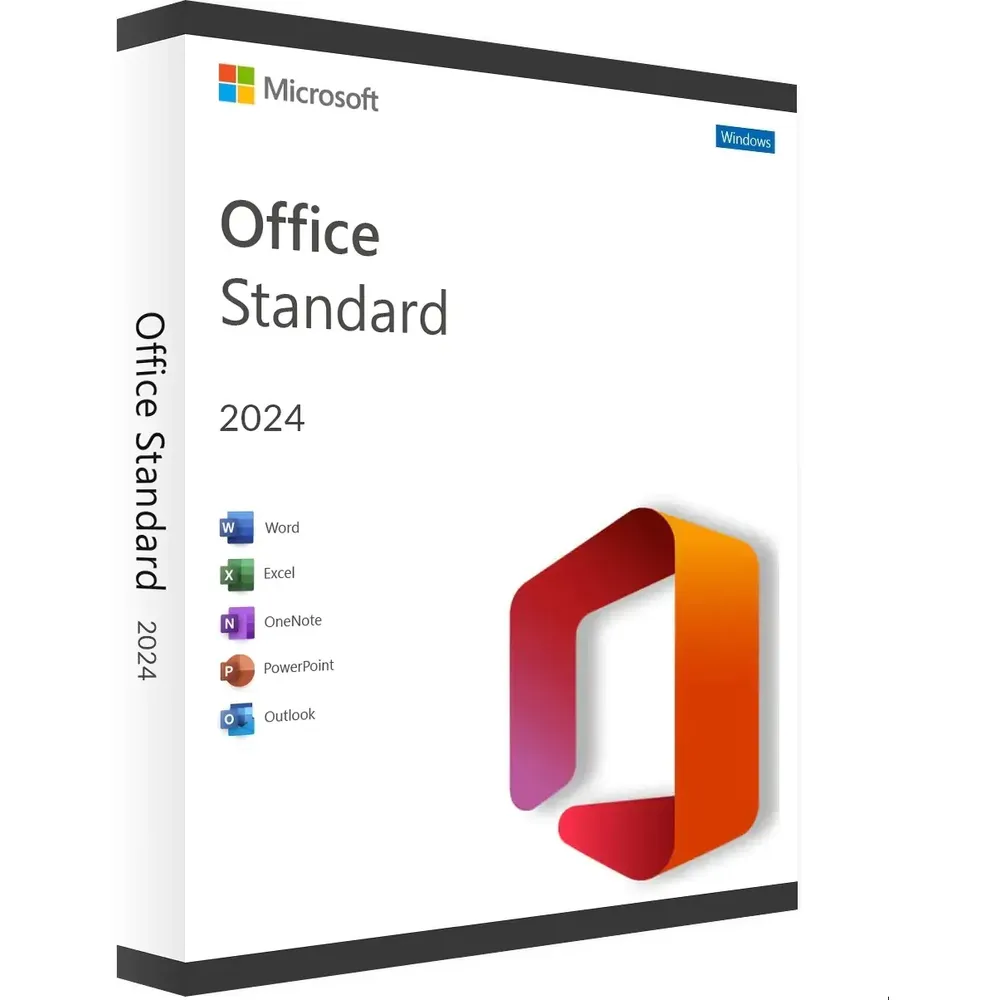
Microsoft Office 2024 Standard for Windows is a desktop productivity solution designed for users who want to work with Microsoft Office applications on a compatible Windows computer. This edition provides a familiar environment for creating documents, spreadsheets, presentations, and other everyday professional or personal work.
Before purchasing or installing Microsoft Office 2024 Standard for Windows, it is important to check the exact edition, Windows compatibility, system requirements, and activation instructions associated with your product. This page provides a practical overview to help you understand the software and prepare for installation.
Table of Contents
- Microsoft Office 2024 Standard for Windows Overview
- Office 2024 Applications
- Microsoft Office 2024 Standard for Windows Features
- Office 2024 Standard Phone Activation
- Microsoft Office 2024 Standard for Windows Installation
- Office 2024 System Requirements
- Office 2024 Support and Lifecycle
- Office 2024 vs Microsoft 365
- Things to Check Before Purchasing
- Frequently Asked Questions
- Conclusion
Microsoft Office 2024 Standard for Windows Overview
Microsoft Office 2024 Standard for Windows is intended for users who prefer a traditional desktop Office experience rather than relying exclusively on browser-based applications. Microsoft provides several Office 2024 editions, so it is important to distinguish consumer Office 2024 products from commercial Office LTSC 2024 editions.
Microsoft officially documents Office LTSC Standard 2024 as a Windows edition available through commercial volume licensing. Office LTSC 2024 is designed for environments where organizations need a fixed Office release rather than continuous feature updates.
For official technical information, consult Microsoft’s Office LTSC 2024 overview.
The product referenced on this page is labeled Microsoft Office 2024 Standard for Windows. Always verify the specific license and activation instructions supplied with your purchase before installation.
Office 2024 Applications
Office 2024 is built around familiar Microsoft productivity tools. Depending on the specific Office edition and license, the available applications can vary. Users should therefore check the exact product information before assuming that a particular application is included.
Word 2024
Microsoft Word is designed for creating and editing documents such as letters, reports, contracts, assignments, and other professional documents. It provides tools for formatting text, inserting tables and images, reviewing documents, and preparing files for sharing or printing.
Excel 2024
Microsoft Excel provides spreadsheet functionality for organizing information, performing calculations, analyzing data, and creating charts. It can be useful for business records, financial calculations, project information, inventories, and everyday data management.
PowerPoint 2024
PowerPoint is designed for creating presentations using slides, text, images, charts, tables, and other visual elements. It can be used for business presentations, education, training, meetings, and personal projects.
Other Office Applications
Microsoft Office editions can differ in the applications they contain. For that reason, do not assume that applications such as Outlook, Access, or other tools are included unless they are specifically listed for the license you are purchasing.
Microsoft Office 2024 Standard for Windows Features
Microsoft Office 2024 Standard for Windows provides a familiar desktop productivity environment for users who work with Office documents and files. Key benefits depend on the exact edition and license, but Office 2024 is designed around desktop productivity, document creation, spreadsheet work, and presentations.
- Desktop Microsoft Office productivity environment
- Support for creating and editing professional documents
- Spreadsheet tools for calculations and data organization
- Presentation creation and editing
- Compatibility with common Microsoft Office file formats
- Traditional desktop software rather than a browser-only experience
- Support for both 32-bit and 64-bit Windows editions where applicable
Microsoft also provides official information about Office system requirements, supported operating systems, and lifecycle policies. Always check Microsoft’s documentation before installation because requirements can vary by Office edition.
Office 2024 Standard Phone Activation
The reference product for this page is specifically labeled as Microsoft Office 2024 Standard for Windows with phone activation. If your supplied product instructions require phone activation, follow the activation procedure provided with your purchase.
Activation requirements can depend on the specific license and Office edition. Microsoft also explains that Office products may require internet access for activation and updates. Do not use unofficial activation software, modified installers, cracks, or unauthorized activation services.
If you experience an activation problem, first verify that you are using the correct Office edition and the correct installation or activation instructions supplied with your product.
Microsoft Office 2024 Standard for Windows Installation
Before installing Microsoft Office 2024 Standard for Windows, prepare your Windows computer and make sure you have the required product information available.
Step 1: Check Your Windows Version
Confirm that your computer uses a Windows version supported by your particular Office edition. Microsoft publishes the current system requirements for Office products on its official support website.
Step 2: Prepare the Installation
Remove conflicting or unnecessary older Office installations when appropriate. Multiple Office installations can sometimes create compatibility or activation problems.
Step 3: Download the Correct Office Software
Use the official installation source or the download instructions supplied with your purchase. Make sure the installer corresponds to your Office edition and Windows system.
Step 4: Install Office
Run the installation process and follow the instructions displayed on your Windows computer. Allow the installation to complete before opening the Office applications.
Step 5: Activate Office
After installation, follow the applicable activation instructions. If your product uses phone activation, complete the phone activation process according to the instructions supplied with the product.
Step 6: Test the Applications
Open the available Office applications and confirm that they start correctly. Create a test document or spreadsheet to verify that the installation is functioning properly.
Office 2024 System Requirements
System requirements depend on the exact Office 2024 edition. For Office LTSC 2024, Microsoft documents supported Windows environments and minimum hardware requirements.
Microsoft lists supported environments including Windows 11, Windows 11 LTSC 2024, Windows 10 LTSC 2021, Windows 10 LTSC 2019, Windows Server 2025, and Windows Server 2022 for Office LTSC 2024.
The documented minimum hardware requirements for Office LTSC 2024 include a 1.1 GHz or faster two-core processor, 4 GB of RAM, 4 GB of available disk space, and a minimum screen resolution of 1280 × 768. Requirements can vary depending on the specific product and configuration.
For the latest information, see Microsoft’s Office system requirements.
Office 2024 Support and Lifecycle
Microsoft Office 2024 products follow Microsoft’s published lifecycle and support policies. Office LTSC 2024 is designed as a fixed release and does not receive new feature updates after release, although security and quality updates are provided during its supported lifecycle.
Microsoft currently documents October 9, 2029 as the end date for Office LTSC 2024 support. For the most accurate and current lifecycle information, consult Microsoft’s official Office LTSC 2024 lifecycle documentation.
Office 2024 vs Microsoft 365
One important difference between Microsoft Office 2024 Standard for Windows and Microsoft 365 is the way the products are licensed and updated.
Office 2024 is associated with a specific Office release, while Microsoft 365 is a subscription service that receives ongoing feature updates and includes cloud-connected services depending on the subscription plan.
| Office 2024 | Microsoft 365 |
|---|---|
| Traditional desktop Office software | Subscription-based Microsoft service |
| Associated with a specific Office release | Continuously updated with new features |
| Available in different editions | Available through different subscription plans |
| Cloud services depend on the specific edition | Cloud-connected services are an important part of the subscription experience |
Microsoft provides additional information about the differences between one-time purchase Office suites and Microsoft 365 on its official Office suites support page.
Things to Check Before Purchasing
Before purchasing Microsoft Office 2024 Standard for Windows, check the following information:
- Confirm that the product is intended for your Windows computer.
- Verify the exact Office edition being supplied.
- Check which applications are included with the specific license.
- Review the applicable activation procedure.
- Check the Windows and hardware requirements.
- Keep your purchase information and activation instructions available.
- Use official Microsoft documentation when troubleshooting installation or activation.
If you need assistance with your order or have questions about a product available from Nexlic, you can visit the Nexlic FAQ or contact Nexlic page.
Frequently Asked Questions
What is Microsoft Office 2024 Standard for Windows?
Microsoft Office 2024 Standard for Windows is a Windows desktop Office product identified by the Standard edition name. The exact applications, licensing model, and activation procedure depend on the specific product and license supplied.
Does Office 2024 work on Windows?
Yes, Microsoft offers Office 2024 products for Windows. However, supported Windows versions depend on the specific Office edition. Always check the applicable Microsoft system requirements before installation.
Does Office 2024 require activation?
Office products require activation according to their applicable licensing model. Microsoft documents activation and internet requirements for Office products, while the specific activation process depends on the product and license.
How does phone activation work?
Phone activation is an activation procedure associated with certain Office license configurations. If your product instructions specify phone activation, follow the supplied activation instructions carefully and use only authorized activation methods.
Is Office 2024 the same as Microsoft 365?
No. Office 2024 and Microsoft 365 are different product models. Office 2024 is associated with a specific Office release, while Microsoft 365 is a subscription service with ongoing updates and cloud-connected services depending on the plan.
Can I install Office 2024 on any Windows computer?
Not necessarily. Your computer must meet the requirements of the specific Office edition. Check the supported Windows versions, processor, memory, storage, and other requirements before installation.
Where can I find official Office 2024 information?
Microsoft publishes official information about Office 2024, Office LTSC 2024, system requirements, activation, and lifecycle policies through Microsoft Support and Microsoft Learn.
Conclusion
Microsoft Office 2024 Standard for Windows is a desktop Office solution for users who want to work with Microsoft productivity software on a compatible Windows computer. Before installation, verify the exact edition, supported operating system, included applications, and activation procedure associated with your product.
For technical questions, Microsoft’s official documentation should be used as the primary reference for system requirements, installation, activation, and lifecycle information. For product-related questions or assistance with your Nexlic order, use the available Nexlic support channels.
For users comparing Microsoft Office products, you can also explore the Microsoft Office digital licenses category on Nexlic or review related products such as Microsoft Office 2021 Professional Plus Phone Activation and Microsoft Office 2019 Professional Plus.


Reviews
There are no reviews yet.