


Table of Contents
- Microsoft Office 2021 Professional Plus Retail Overview
- Office 2021 Applications
- Office 2021 Online Activation
- Office 2021 Installation
- What to Check Before Installation
- Office 2021 Activation Troubleshooting
- Helpful Microsoft Resources
- Office 2021 Support Status
- Frequently Asked Questions
- Conclusion
Microsoft Office 2021 Professional Plus Retail is an Office 2021 product presented with online activation. It is designed for users who want access to the familiar Microsoft Office desktop applications while following the applicable installation and activation process.
Before purchasing or installing any Office product, check the product information, activation method, supported operating system, and licensing conditions associated with your specific purchase. This page provides practical information to help you understand installation, activation, applications, requirements, and troubleshooting.
Microsoft Office 2021 Professional Plus Retail Overview
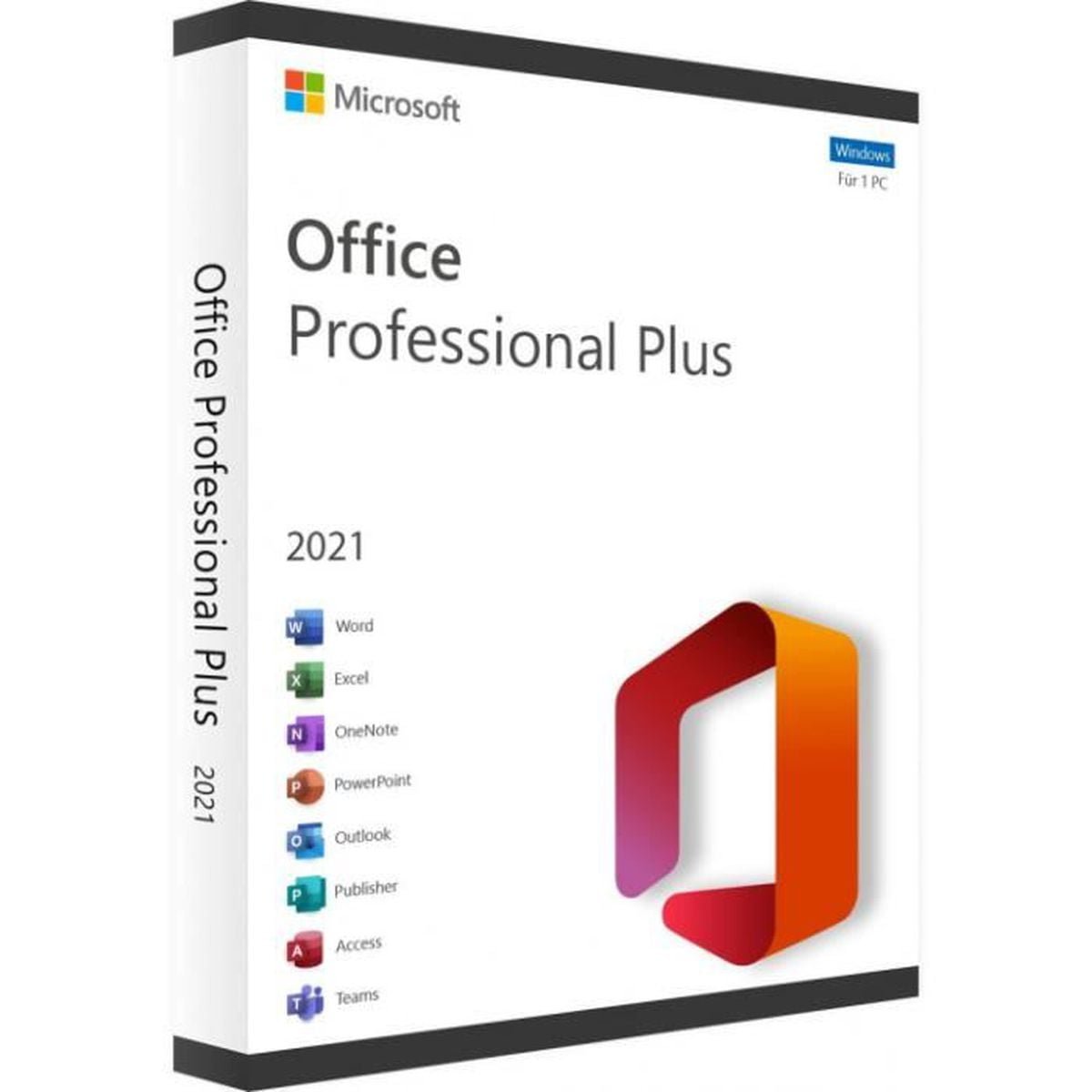
Microsoft Office 2021 Professional Plus Retail is identified on the supplied product information as a retail Office 2021 product with online activation. The supplied product page states that the product is intended for activation on one PC and includes a product key for activation.
Because Office editions and activation conditions can differ, always review the information supplied with your order before beginning the installation process.
Microsoft Office 2021 is a non-subscription version of Microsoft Office. Microsoft provides official documentation covering Office 2021 installation, activation, system requirements, and product lifecycle information.
With Microsoft Office 2021 Professional Plus Retail, users can access a familiar desktop Office environment while following Microsoft’s standard installation and activation process.
Office 2021 Applications
The supplied product information lists several Microsoft Office 2021 applications. Depending on the specific Office edition and installation package, these applications can include:
- Microsoft Word 2021 – create, edit and format documents.
- Microsoft Excel 2021 – work with spreadsheets, calculations and data.
- Microsoft PowerPoint 2021 – create presentations and slides.
- Microsoft Outlook 2021 – manage email, calendars and personal information.
- Microsoft Access 2021 – work with databases.
- Microsoft OneNote 2021 – organize digital notes and information.
- Microsoft Publisher 2021 – create desktop publishing documents.
The exact applications available can depend on the Office edition and installation package. For that reason, confirm the application list associated with your purchase before installation.
Office 2021 Online Activation
The product is presented as an Office 2021 online activation product. Activation is an important part of the Office setup process because Microsoft requires eligible Office products to be activated according to their applicable licensing conditions.
How Office 2021 activation works
After installation, open an Office application such as Word or Excel. Depending on the product and installation method, Office may activate automatically or display the Microsoft Office Activation Wizard.
When prompted, follow the activation instructions associated with your purchase. If Microsoft requests a product key, carefully enter the supplied key and continue through the activation process.
Before starting Microsoft Office 2021 Professional Plus Retail activation, make sure you have the activation information supplied with your purchase and follow the applicable Microsoft instructions.
For official activation information, always refer to Microsoft’s current support documentation rather than relying on unofficial activation methods.
Office 2021 Installation
Installing Microsoft Office 2021 Professional Plus Retail should begin with checking the applicable system requirements and confirming that the correct Office edition is being installed.
Basic installation process
- Check the applicable Microsoft Office 2021 system requirements.
- Confirm that your computer is compatible with the Office edition you purchased.
- Use the installation instructions supplied with your product.
- Download or access the appropriate Office installation files.
- Run the installer and follow the instructions displayed on screen.
- Open Word, Excel or another installed Office application.
- Complete the activation process when prompted.
Microsoft provides official instructions for downloading, installing and reinstalling Office 2021. Using Microsoft’s documentation is recommended whenever you need detailed installation instructions.
Check for previous Office installations
If another Office version is already installed on your computer, check whether it needs to be removed before installing the new edition. Existing Office installations or previous activation information can sometimes interfere with installation or activation.
If you are unsure which Office version is currently installed, open an Office application and check the account or product information displayed in the application settings.
What to Check Before Installation
Before installing Microsoft Office 2021 Professional Plus Retail, verify the operating system, available storage, memory and other requirements that apply to your Office edition.
Microsoft publishes official system requirements for Office products. Requirements can vary between different Office editions, so do not assume that requirements for one version automatically apply to another.
Verify your operating system
Check that your Windows installation meets the applicable requirements before beginning the Office installation. Keeping Windows updated can also help reduce compatibility problems during software installation.
Check your existing Office software
If you have an older version of Office installed, review the installation instructions before installing another Office edition. Conflicting installations can result in errors or unexpected activation behavior.
Keep your activation information available
If your product requires a product key or other activation information, keep the information available during installation. Enter keys carefully and follow Microsoft’s activation instructions when prompted.
Office 2021 Activation Troubleshooting
Check the product key
If Office requests a product key, carefully verify the characters entered. Avoid adding unnecessary spaces and check characters that can easily be confused.
Check the installed Office edition
If activation does not work, confirm that the Office edition installed on your computer corresponds to the product you purchased. Installing a different Office edition can result in activation problems.
Check your Microsoft account
Depending on the Office installation and activation process, Microsoft may request account information. Make sure you are using the appropriate Microsoft account and follow the instructions displayed by Office.
Check your internet connection
Online activation requires an internet connection. If activation fails, verify that your computer can access the internet and that security software or network restrictions are not preventing Office from communicating with Microsoft’s activation services.
Use Microsoft activation support
If you experience an activation issue with Microsoft Office 2021 Professional Plus Retail, first check the installation, activation information and Microsoft account details before trying the activation process again.
Microsoft provides official activation guidance and troubleshooting resources that can help identify installation and activation issues.
Contact support if necessary
If you have followed the applicable installation and activation instructions and still require assistance, use the support channel provided with your order.
Helpful Microsoft Resources
For official information about installing Office 2021, visit the
Microsoft Office 2021 installation guide.
For activation information, see
Microsoft Office activation support.
You can also review Microsoft’s information about
Office 2021 end of support.
Explore More Microsoft Office Products
If you are comparing different Office versions, visit the
Microsoft Office Digital Licenses
category on Nexlic.
You can also explore
Microsoft Office 2016 Professional Plus,
Microsoft Office 2019 Professional Plus,
or
Microsoft Office 365 Pro.
Office 2021 Support Status
An important consideration when purchasing Office 2021 is Microsoft’s product support lifecycle.
Microsoft currently states that support for Office 2021 ends on October 13, 2026. After that date, Microsoft will no longer provide technical support, bug fixes or security fixes for Office 2021.
Microsoft also explains that Office 2021 applications may continue to function after the end-of-support date. However, the product will no longer receive Microsoft’s normal technical support, bug fixes or security updates after support ends.
If long-term software support is an important consideration for you, review Microsoft’s current lifecycle information before purchasing.
Frequently Asked Questions
What is Microsoft Office 2021 Professional Plus Retail?
It is an Office 2021 product identified on the supplied product information as a retail edition with online activation. Always verify the exact activation and licensing conditions associated with your purchase.
How is Office 2021 activated?
The supplied product is presented with online activation. After installation, open an Office application and follow the activation instructions displayed by Microsoft or supplied with the product.
What applications are included?
The supplied product information lists Word, Excel, PowerPoint, Access, OneNote, Outlook and Publisher. Confirm the exact application list associated with your purchase before installation.
Can I install Office 2021 on any computer?
No. Office products have specific system requirements. Check Microsoft’s requirements and confirm that your operating system and hardware meet the applicable requirements before installation.
Does Office 2021 require internet access?
Internet connectivity is required for certain Office activities, including activation. Microsoft recommends following its current installation and activation instructions for the applicable Office edition.
What happens when Office 2021 reaches end of support?
Microsoft states that Office 2021 reaches end of support on October 13, 2026. After this date, Microsoft will no longer provide technical support, bug fixes or security fixes for Office 2021.
Where can I find official Office 2021 installation instructions?
Microsoft provides official documentation for downloading, installing and reinstalling Office 2021. Use Microsoft’s documentation when you need current installation instructions.
Conclusion
Microsoft Office 2021 Professional Plus Retail is presented as an Office 2021 product with online activation. Before purchasing or installing it, review the product information, activation method, applicable system requirements and licensing conditions associated with your order.
For installation and activation questions, Microsoft’s official support documentation should be your primary technical reference. Following the official installation process can help you avoid common setup and activation problems.
It is also important to consider Microsoft’s support lifecycle. Office 2021 is scheduled to reach end of support on October 13, 2026, so customers should take this date into account when evaluating their software requirements.
If you are comparing Office versions, visit the Microsoft Office Digital Licenses category to explore the available options.


Reviews
There are no reviews yet.