

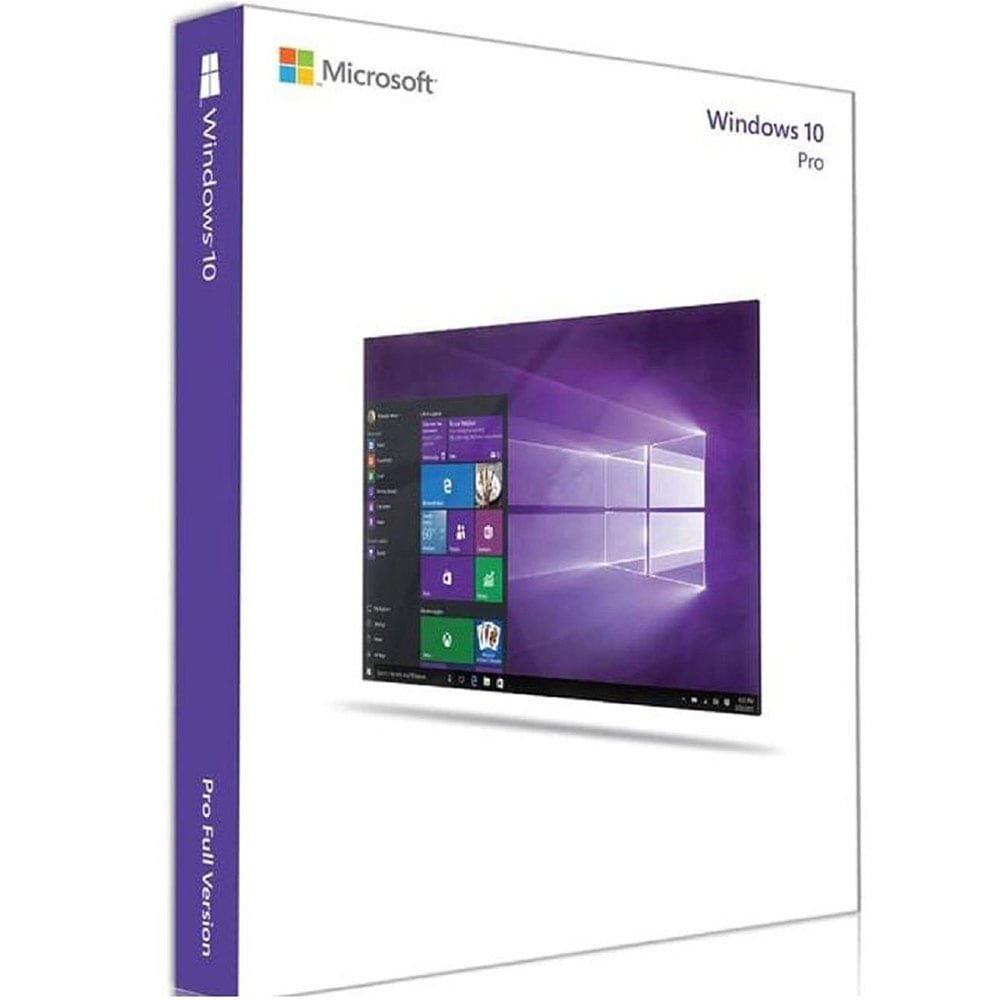
Microsoft Windows 10 Professional Digital License Retail – Phone Activation
Looking for a digital license for Windows 10 Professional with a phone-based activation method? This Windows 10 Pro digital license phone activation product is designed for customers who need Windows 10 Professional activation using the applicable Microsoft activation procedure.
This product is listed as Microsoft Windows 10 Professional Digital License Retail – Phone Activation. Before purchasing, you should confirm that your computer is running the Windows 10 Professional edition and review the current activation status.
With Windows 10 Pro digital license phone activation, the activation process can involve Microsoft’s applicable phone or offline activation workflow. Depending on the Windows installation and activation environment, the process may use an Installation ID and Confirmation ID.
This guide explains how Windows 10 Pro digital license phone activation works, what to check before purchasing, how to access Windows activation settings, how the applicable phone activation procedure works, and what to do if Windows displays an activation error.
Windows 10 Pro Digital License Phone Activation
Windows 10 Pro digital license phone activation refers to the applicable activation process for Windows 10 Professional when activation is completed through Microsoft’s phone or offline activation workflow.
Microsoft provides official documentation covering Windows activation, including applicable procedures that use an Installation ID and Confirmation ID. The exact activation screens can vary depending on the Windows version, installation, edition, and current activation state.
When using Windows 10 Pro digital license phone activation, it is important to follow the instructions provided by Windows and Microsoft. Avoid relying on unofficial activation tools, modified system files, or software claiming to bypass Windows activation.
The purpose of the phone activation process is to provide an alternative activation workflow when the applicable Windows installation requires or offers this method.
For Microsoft’s official activation instructions, visit the Microsoft Windows activation guide.
What Is a Windows 10 Professional Digital License?
A digital license is a digital method of activating Windows rather than relying on a physical software package. The product described on this page is a digital license for Windows 10 Professional with the phone activation method identified in the product title.
A Windows 10 Pro digital license phone activation product should be used with the corresponding Windows edition. This means that checking the installed Windows edition is an important step before purchasing or beginning the activation process.
Windows 10 includes several editions, and the licensing requirements can differ between editions. Windows 10 Professional is different from Windows 10 Home and other editions.
For this reason, customers should verify that their computer is running Windows 10 Professional before ordering this product.
The Windows 10 Pro digital license phone activation process does not change the Windows edition installed on your computer automatically. The installed edition should correspond to the product requirements.
Why Choose Windows 10 Professional?
Windows 10 Professional is an edition of Microsoft’s Windows operating system intended for users who require the features provided by the Professional edition.
If Windows 10 Professional is already installed on your computer and you need to complete activation, a Windows 10 Pro digital license phone activation product can be relevant to your activation requirements.
Before purchasing, however, always check the Windows edition and activation status. This simple verification can prevent confusion later in the process.
If your computer uses Windows 10 Home or another edition, review your Windows installation carefully before purchasing a Windows 10 Professional product.
Check Your Windows 10 Edition Before Activation
Before beginning Windows 10 Pro digital license phone activation, confirm which edition of Windows is installed on your computer.
How to Check Windows 10 Professional
Follow these steps to check your Windows edition:
- Open the Start menu.
- Select Settings.
- Open System.
- Select About.
- Find the Windows specifications section.
- Look at the information shown beside Edition.
The edition should indicate Windows 10 Pro or Windows 10 Professional for this product.
Checking the edition is particularly important because a Windows license intended for Professional should not automatically be assumed to activate another Windows edition.
Check Your Windows Activation Status
After checking the edition, review your current activation status before starting Windows 10 Pro digital license phone activation.
On Windows 10, activation settings can generally be accessed through:
Settings → Update & Security → Activation
The activation page can show whether Windows is activated and may provide additional activation options.
If Windows is already activated, review the information carefully before purchasing another license. If Windows is not activated, the activation page can help you understand the current state of the installation.
When the applicable phone activation option is available, you can follow Microsoft’s instructions for completing the process.
How Windows 10 Pro Digital License Phone Activation Works
The Windows 10 Pro digital license phone activation process can involve several stages. The exact steps depend on the Windows installation and the activation options provided by Microsoft.
Generally, the process begins by opening the Windows activation settings and selecting the applicable phone or offline activation option.
Windows may then provide an Installation ID. This information is used as part of Microsoft’s activation workflow.
Depending on the applicable process, Microsoft can provide a Confirmation ID. The Confirmation ID is then entered into the appropriate Windows activation interface.
After the required information has been entered, Windows can process the activation request and display the resulting activation status.
When completing Windows 10 Pro digital license phone activation, always follow the current instructions provided by Microsoft because Windows activation interfaces and procedures can change between versions and builds.
Windows 10 Activation Settings
The Windows activation settings are the main place to check the current status of your Windows installation.
For Windows 10, open:
Settings → Update & Security → Activation
From this page, you can review the current activation state and, where applicable, access activation options.
If your installation provides the applicable phone activation workflow, follow the instructions displayed by Windows.
The activation settings are also useful when troubleshooting Windows 10 Pro digital license phone activation. If an error occurs, the activation page may provide additional information that can help identify the problem.
What to Check Before Purchasing
Check the Windows Edition
The first step before purchasing Windows 10 Pro digital license phone activation is verifying that your computer has Windows 10 Professional installed.
Edition compatibility is important because different Windows editions can have different licensing requirements.
Check the Current Activation Status
Review the Windows activation settings. Knowing whether your system is currently activated can help you understand why activation is required.
Read the Product Information
This product is identified as Microsoft Windows 10 Professional Digital License Retail – Phone Activation. Review the product information carefully before ordering.
Understand the Activation Method
The product title specifically identifies phone activation. Customers should therefore understand that the applicable activation process may involve Microsoft’s phone or offline activation procedure.
Keep Your Order Information
After purchasing a digital product, keep your order details available. They may be useful if you need to reference the purchase later.
Windows 10 Pro Digital License Phone Activation: Step-by-Step Guide
Step 1: Confirm Windows 10 Professional
Before beginning Windows 10 Pro digital license phone activation, verify that Windows 10 Professional is installed.
Open Settings → System → About and check the Windows edition.
Step 2: Open Activation Settings
Next, open Settings → Update & Security → Activation.
Review the activation status shown by Windows.
Step 3: Select the Applicable Activation Option
If Windows provides a phone or offline activation option, select the appropriate option and follow the instructions shown on screen.
The exact interface may vary according to the Windows build and activation environment.
Step 4: Obtain the Installation ID
If the applicable activation process requests an Installation ID, follow the Windows instructions to obtain it.
The Installation ID is numerical information generated for the activation process.
Step 5: Follow Microsoft’s Activation Procedure
Use Microsoft’s official activation process to continue. Depending on the applicable workflow, the Installation ID can be used to obtain the information required for the next stage.
For official instructions, see Microsoft’s Installation ID and Confirmation ID activation guide.
Step 6: Enter the Confirmation ID
If Microsoft’s applicable activation process provides a Confirmation ID, enter it into the corresponding Windows activation interface.
Carefully follow the instructions displayed by Windows and Microsoft.
Step 7: Verify Activation
After completing the applicable process, return to the activation settings and check the Windows activation status.
This confirms whether the Windows 10 Pro digital license phone activation process has been completed successfully.
Online Activation vs. Phone Activation
Windows activation can use different methods depending on the installation and activation environment.
Online activation allows Windows to communicate with Microsoft’s activation services through an internet connection.
Phone activation or offline activation can use a different procedure involving an Installation ID and, where applicable, a Confirmation ID.
The Windows 10 Pro digital license phone activation method is specifically relevant when the applicable activation workflow requires or provides the phone/offline procedure.
Not every Windows installation displays identical activation options. Windows builds, system configurations, and activation conditions can affect which options are shown.
Troubleshooting Windows 10 Pro Digital License Phone Activation
If Windows 10 Pro digital license phone activation does not complete successfully, begin with the basic checks below.
Verify the Windows Edition
Confirm that Windows 10 Professional is installed. If a different edition is installed, the activation process may not match the product.
Review the Activation Error
Windows may display an error message or activation code. Write down the exact message before attempting additional troubleshooting.
Check the Installation ID
If an Installation ID is required, carefully follow Microsoft’s instructions for obtaining and using the information.
Check the Confirmation ID
If a Confirmation ID is provided through Microsoft’s applicable activation process, enter it exactly as instructed.
Check Your Internet Connection
Some activation and support procedures require internet access. Make sure your computer has a stable internet connection when using online Microsoft resources.
Restart Your Computer
If you have recently changed Windows settings or installed updates, restarting the computer can help Windows refresh its current state.
Use Microsoft’s Official Troubleshooting Resources
Microsoft provides official information about common activation problems. You can review the Microsoft Windows activation error guide.
Avoid Unauthorized Activation Tools
Do not use cracks, unauthorized activators, activation bypass tools, modified Windows files, or unknown scripts. These tools are not part of Microsoft’s official activation procedure and can create unnecessary security or system problems.
Hardware Changes and Windows Activation
Major hardware changes can sometimes affect Windows activation. Windows may recognize a substantially changed computer differently after hardware has been replaced.
If activation changes after a hardware upgrade, open the activation settings and review the information provided by Windows.
If you experience an activation issue after changing hardware, use Microsoft’s official activation troubleshooting resources rather than unofficial activation tools.
The result of a hardware change can depend on the Windows installation, license circumstances, and Microsoft’s activation system.
Reinstalling Windows 10 Professional
If you reinstall Windows 10 Professional, make sure that you select the correct edition during installation.
Before reinstalling Windows, back up important files. Depending on the installation option selected, applications, settings, and personal files can be affected.
After installation, verify the edition again and open the activation settings.
If you need to complete Windows 10 Pro digital license phone activation after reinstalling Windows, follow the applicable Microsoft activation workflow for the new installation.
Windows 10 Professional Digital Product Information
This product is listed with the following information:
- Operating system: Microsoft Windows 10
- Edition: Professional
- Product format: Digital license
- License designation: Retail, as stated in the product title
- Activation method: Phone Activation, as stated in the product title
Always review the complete product information before ordering and make sure that your intended Windows installation corresponds to the listed edition.
Windows 10 Support Status
Before purchasing or continuing to use Windows 10, customers should understand Microsoft’s current support status.
Microsoft states that Windows 10 support ended on October 14, 2025. Windows 10 computers continue to function after that date, but standard free software updates, security fixes, and technical assistance are no longer provided under Microsoft’s normal support lifecycle.
Microsoft recommends Windows 11 for eligible PCs. Microsoft also provides information about Extended Security Updates for certain eligible Windows 10 devices.
This support status is separate from the activation process. Completing Windows 10 Pro digital license phone activation activates the applicable Windows installation, but activation does not change Microsoft’s operating-system support lifecycle.
For current information, review Microsoft’s Windows 10 support information.
Windows 10 vs. Windows 11
Windows 10 Professional and Windows 11 Professional are separate Windows editions and operating-system versions.
If your computer is eligible for Windows 11, review Microsoft’s current system requirements and support information before deciding which operating system is appropriate for your computer.
If you are specifically looking for another Windows product, visit the Nexlic Windows Digital Licenses category.
You can also review the Microsoft Windows 11 Professional Digital License product page.
Why Use Official Microsoft Activation Resources?
Microsoft can update Windows activation interfaces and procedures over time. Official documentation is therefore the best reference for the current activation workflow.
Microsoft’s resources can help you understand:
- Windows activation settings.
- Available activation methods.
- Installation ID procedures.
- Confirmation ID procedures.
- Windows activation errors.
- Windows support lifecycle information.
When completing Windows 10 Pro digital license phone activation, always follow the applicable Microsoft instructions.
Important Notes Before Activation
Before starting Windows 10 Pro digital license phone activation, use this checklist:
- Confirm that Windows 10 Professional is installed.
- Check your current Windows activation status.
- Read the product information carefully.
- Understand that the listed activation method is phone activation.
- Follow Microsoft’s official activation procedure.
- Use the applicable Installation ID and Confirmation ID process when instructed.
- Avoid unauthorized activation software.
- Keep your order information available.
- Review Microsoft’s current Windows 10 support information.
Frequently Asked Questions
What is Windows 10 Pro digital license phone activation?
Windows 10 Pro digital license phone activation is an applicable Microsoft activation workflow for Windows 10 Professional that can use a phone or offline activation procedure. Depending on the installation, the process may involve an Installation ID and Confirmation ID.
Is this product for Windows 10 Professional?
Yes. This product is specifically identified as Microsoft Windows 10 Professional Digital License Retail – Phone Activation. Verify that Windows 10 Professional is installed before purchasing.
Where can I check Windows activation?
You can generally check activation through Settings → Update & Security → Activation in Windows 10.
What is an Installation ID?
An Installation ID is numerical information generated by Windows for use in the applicable activation process.
What is a Confirmation ID?
A Confirmation ID is activation information provided through Microsoft’s applicable activation procedure. When required, it is entered into the Windows activation interface.
Does every Windows 10 computer use the same phone activation process?
No. Activation options can vary depending on the Windows build, edition, installation, and activation status. Always follow the instructions displayed by your installation and Microsoft’s current documentation.
What should I do if Windows activation fails?
First, confirm that Windows 10 Professional is installed and check the exact activation error. Then use Microsoft’s official troubleshooting resources. For order-related questions, visit the Nexlic FAQ or contact Nexlic.
Can I reinstall Windows 10 Professional?
Yes, Windows 10 Professional can be reinstalled, but you should back up important files and make sure that the correct edition is selected during installation.
Where can I find other Windows licenses?
Visit the Nexlic Windows Digital Licenses category to view other available Windows products.
Windows 10 Pro Phone Activation Video
For additional guidance, customers can use official Microsoft tutorials and support resources covering Windows activation.
When searching for video instructions about Windows 10 Pro digital license phone activation, choose reliable sources and avoid videos that promote cracks, unauthorized activators, activation bypasses, or modified system files.
Tips for a Smooth Windows Activation Process
A successful activation process starts with accurate information. Before attempting Windows 10 Pro digital license phone activation, confirm the Windows edition and activation status.
Keep your computer connected to the internet when accessing Microsoft’s online resources and make sure you carefully follow the instructions shown on screen.
If an activation error appears, record the exact message rather than repeatedly trying unrelated activation methods.
For Windows 10 Pro digital license phone activation, accurate information is particularly important because the applicable phone or offline workflow can involve multiple steps and activation identifiers.
Windows 10 Digital License and Edition Compatibility
Digital licensing is closely connected to the Windows edition being activated. This is why edition verification should be one of the first steps before using a Windows license.
A Windows 10 Professional product should be considered in relation to a Windows 10 Professional installation. Windows 10 Home and other editions have different licensing requirements.
If you are purchasing Windows 10 Pro digital license phone activation, confirm that Windows 10 Professional is the edition you intend to activate.
Microsoft Activation Support
Microsoft maintains official resources covering Windows activation, activation errors, Installation ID procedures, and Confirmation ID procedures.
If you experience an issue that is not explained in this product description, Microsoft’s documentation should be your primary reference.
Visit the Microsoft Windows Activation Guide for official information.
You can also review Microsoft’s Installation ID and Confirmation ID guide for applicable phone or offline activation procedures.
After Completing Windows 10 Pro Digital License Phone Activation
After completing Windows 10 Pro digital license phone activation, return to the Windows activation settings and verify the displayed activation status.
Keep your purchase information available for future reference.
If Windows does not display the expected activation status, review Microsoft’s official troubleshooting resources before making additional system changes.
Conclusion
This Windows 10 Pro digital license phone activation product is listed for customers looking for a Microsoft Windows 10 Professional digital license with the Retail and Phone Activation designations shown in the product title.
Before purchasing, verify that Windows 10 Professional is installed on your computer. Then review the activation status and understand the applicable activation procedure.
The Windows 10 Pro digital license phone activation process may involve Microsoft’s phone or offline activation workflow, including an Installation ID and, where applicable, a Confirmation ID.
Always use Microsoft’s official activation resources and avoid unauthorized activation tools. If an activation problem occurs, review the exact error message and use Microsoft’s troubleshooting documentation.
It is also important to understand that Microsoft ended standard Windows 10 support on October 14, 2025. Windows 10 remains functional, but standard free software updates, security fixes, and technical assistance are no longer provided under the normal support lifecycle.
For eligible computers, Microsoft recommends considering Windows 11. Review Microsoft’s current requirements and support information before making an operating-system decision.



Reviews
There are no reviews yet.