

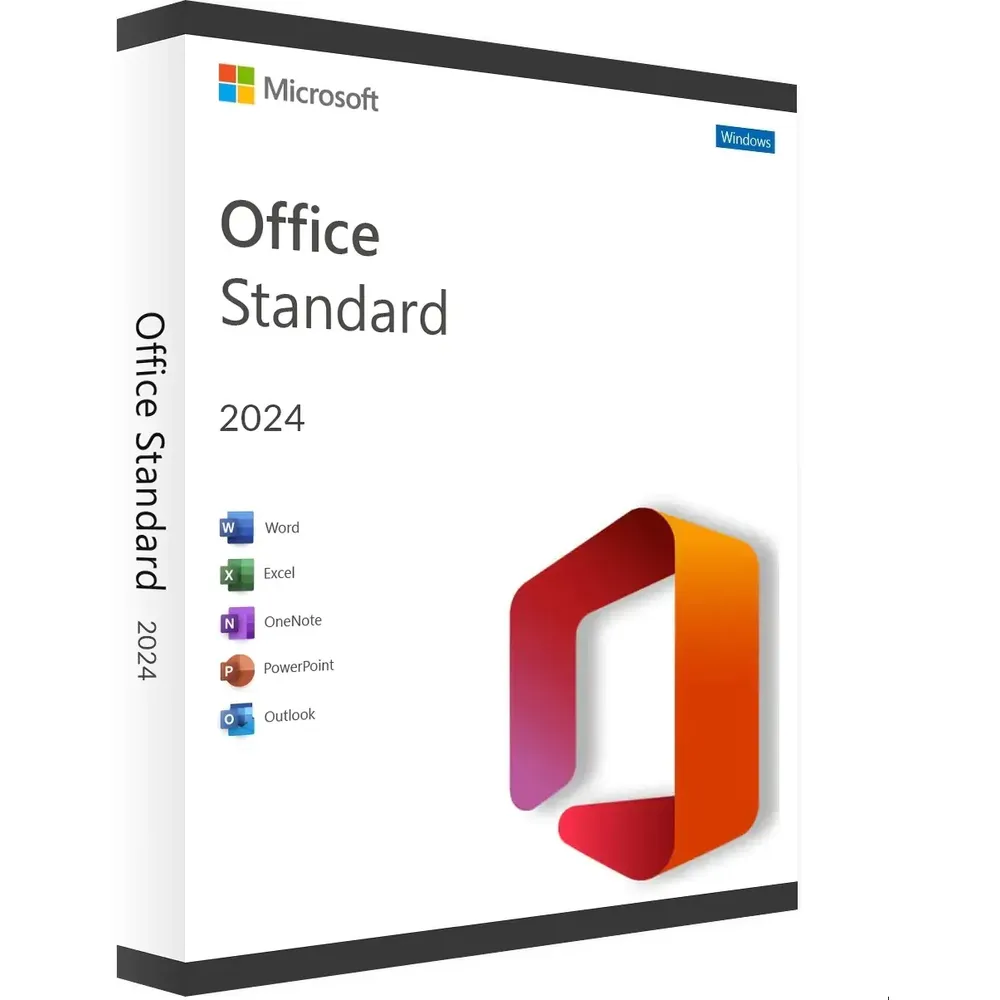
Office 2024 Standard is a Microsoft Office 2024 edition for Windows and is designed around the familiar desktop productivity applications used for documents, spreadsheets, presentations, email, and other professional workflows.
The supplied product reference identifies this product as Microsoft Office 2024 Standard for Windows + Link ESD. Before purchasing, it is important to understand the Office 2024 product family, the applications associated with the Standard edition, installation considerations, system requirements, and Microsoft’s current support information.
Microsoft officially documents Office LTSC Standard 2024 as a commercial Windows edition of Office 2024. Microsoft explains that Office LTSC 2024 is different from Microsoft 365 Apps because it does not receive feature updates after launch. Read Microsoft’s official Office LTSC 2024 overview.
Office 2024 Standard Overview
Office 2024 Standard belongs to Microsoft’s latest generation of desktop Office software.
For commercial environments, Microsoft uses the name Office LTSC Standard 2024. LTSC stands for Long-Term Servicing Channel and refers to Microsoft’s servicing model for commercial Office products that do not receive feature updates after their initial release.
Microsoft describes Office LTSC 2024 as an edition intended for organizations with environments where feature updates are not appropriate or where controlled software deployment is required.
Office 2024 is different from Microsoft 365 Apps. Microsoft 365 follows an ongoing update model, while Office LTSC 2024 remains on its released feature set and receives applicable security and quality updates.
If you are comparing Microsoft Office versions, you can also browse the Microsoft Office digital licenses category on Nexlic.
Office 2024 Standard Applications
Microsoft’s official documentation distinguishes between Office LTSC Standard 2024 and Office LTSC Professional Plus 2024, so the exact application set should always be checked against the applicable edition and deployment documentation.
Office applications provide tools for common productivity tasks such as document creation, spreadsheet management, presentations and email.
Microsoft Word 2024
Word is Microsoft’s word-processing application for creating, editing and formatting documents.
Users can work with reports, letters, business documents, assignments and other text-based files using the familiar Microsoft Word desktop environment.
Microsoft Excel 2024
Excel is Microsoft’s spreadsheet application for organizing data, performing calculations, working with formulas, creating tables and analyzing information.
Excel can be used for everyday spreadsheets as well as more structured business and professional data workflows.
Microsoft PowerPoint 2024
PowerPoint is Microsoft’s presentation application for creating slide-based presentations.
It can be used for business presentations, education, training, meetings, reports and other situations where information needs to be presented visually.
Outlook and Other Office Applications
Microsoft Office includes different applications depending on the edition. Outlook is Microsoft’s email and personal productivity application, while other Office applications can provide additional functionality for specific workflows.
Microsoft’s official documentation should be used to verify the exact applications available with the specific Office edition being installed.
Office 2024 Standard Features
Office 2024 Standard provides the desktop Office experience associated with the 2024 generation.
Microsoft explains that commercial Office LTSC 2024 does not receive feature updates after release. Instead, the product follows its applicable servicing model for security and quality updates.
- Microsoft Office 2024 desktop software
- Windows-focused Office edition
- Word for document creation and editing
- Excel for spreadsheets and data work
- PowerPoint for presentations
- Office productivity tools for professional workflows
- Long-Term Servicing Channel model for the commercial LTSC edition
The exact applications and functionality depend on the specific Office 2024 edition. For that reason, product information should always be checked against Microsoft’s documentation before installation.
Office 2024 Standard Installation
Before installing Office 2024 Standard, check the computer’s operating system and hardware against Microsoft’s current Office 2024 requirements.
Microsoft’s Office LTSC 2024 documentation explains that administrators can download and deploy Office LTSC 2024 to users within an organization.
Microsoft also recommends removing previous versions of Office before deploying Office LTSC 2024 in applicable environments to avoid installation conflicts.
A general installation process may include the following steps:
- Check Microsoft’s current Office 2024 system requirements.
- Review the exact edition and installation method associated with your product.
- Remove incompatible or previous Office installations where required.
- Obtain the applicable Office installation files.
- Install Office according to the applicable Microsoft deployment instructions.
- Complete the applicable activation or licensing procedure for your product.
- Open an Office application and verify the installed edition.
For official installation and deployment information, consult Microsoft’s Office LTSC 2024 documentation.
Office 2024 Standard System Requirements
Microsoft publishes specific requirements for Office LTSC 2024 on Windows.
According to Microsoft, Office LTSC 2024 requires at least a 1.1 GHz two-core processor, 4 GB of RAM, 4 GB of available disk space, and a 1280 × 768 display.
Microsoft lists supported Windows environments including Windows 11, Windows 11 LTSC 2024, Windows 10 LTSC 2021, Windows 10 LTSC 2019, Windows Server 2025 and Windows Server 2022 for Office LTSC 2024.
For ARM-based devices, Microsoft identifies Windows 11 as the minimum supported operating system.
Microsoft also states that a 64-bit version of Office is required for 4K and higher display resolutions.
Some features can require additional components such as .NET Framework versions specified by Microsoft.
You can check the latest requirements directly on Microsoft’s Office system requirements page.
Office 2024 Standard Support and Lifecycle
Microsoft states that Office LTSC 2024 is supported under the Fixed Lifecycle Policy.
Microsoft currently lists October 9, 2029 as the end-of-support date for Office LTSC 2024.
This provides an important distinction between Office 2024 and older Office releases such as Office 2019, which has already reached the end of its support lifecycle.
Microsoft’s commercial Office model provides security and quality updates, but Office LTSC products do not receive new feature updates after release.
This servicing approach can be relevant for organizations that prefer a controlled desktop software environment rather than continuously changing Office features.
For current lifecycle information, visit Microsoft’s Office LTSC 2024 lifecycle documentation.
Office 2024 vs Microsoft 365
Office 2024 and Microsoft 365 use different product and servicing models.
Office 2024 commercial LTSC editions are designed around a fixed feature set after release, with applicable security and quality updates.
Microsoft 365 Apps follows a different model and receives ongoing feature updates.
Microsoft specifically states that Office LTSC 2024 is different from Microsoft 365 Apps. Microsoft 365 Apps includes the Office LTSC 2024 feature set plus additional features that are not included in Office LTSC 2024.
Choosing between the two therefore depends on factors such as update preferences, cloud services, deployment requirements and the type of Office environment needed.
If you want to compare another Microsoft Office generation available from Nexlic, see Microsoft Office 2021 Professional Plus.
You can also compare Microsoft Office 2016 Professional Plus with newer Office editions.
Office 2024 Standard for Professional Productivity
Office 2024 Standard is relevant to users who want a current-generation desktop Office environment rather than an older Office release.
Word, Excel and PowerPoint cover many of the most common productivity requirements, including document creation, spreadsheet work and presentations.
For organizations, Office LTSC 2024 can also be relevant where a controlled software environment and a fixed feature set are preferred.
The correct choice depends on the user’s specific requirements, the Office edition being purchased and the intended deployment environment.
Things to Check Before Purchasing Office 2024 Standard
Before purchasing Office 2024 Standard, review the following points:
- Confirm the exact Office 2024 edition being offered.
- Check the supported Windows environment.
- Review Microsoft’s current system requirements.
- Confirm the installation method associated with the product.
- Check which Office applications are included with the specific edition.
- Understand the difference between Office LTSC 2024 and Microsoft 365.
- Review Microsoft’s current lifecycle information.
Frequently Asked Questions About Office 2024 Standard
What is Office 2024 Standard?
Office 2024 Standard refers to Microsoft’s Office 2024 Standard edition for Windows. Microsoft officially documents the commercial version as Office LTSC Standard 2024.
What is Office LTSC Standard 2024?
Office LTSC Standard 2024 is Microsoft’s commercial Long-Term Servicing Channel edition of Office 2024 for Windows. Microsoft states that it does not receive feature updates after release.
What are the system requirements for Office LTSC 2024?
Microsoft lists a minimum 1.1 GHz two-core processor, 4 GB RAM, 4 GB available disk space and a 1280 × 768 display for Office LTSC 2024 on Windows.
Which Windows versions support Office LTSC 2024?
Microsoft currently lists Windows 11, Windows 11 LTSC 2024, Windows 10 LTSC 2021, Windows 10 LTSC 2019, Windows Server 2025 and Windows Server 2022 for Office LTSC 2024.
Does Office 2024 receive feature updates?
Microsoft states that Office LTSC 2024 does not receive feature updates after launch. It follows its applicable servicing model for security and quality updates.
How long is Office LTSC 2024 supported?
Microsoft currently lists October 9, 2029 as the end-of-support date for Office LTSC 2024.
Is Office 2024 the same as Microsoft 365?
No. Microsoft 365 Apps follows an ongoing feature-update model, while Office LTSC 2024 uses a fixed-feature release model.
Where can I check the official Office 2024 requirements?
You can check Microsoft’s current Office system requirements documentation for the latest information.
Conclusion
Office 2024 Standard is a current-generation Microsoft Office edition for Windows, with the commercial LTSC version documented by Microsoft as Office LTSC Standard 2024.
It provides the traditional desktop Office model while following a fixed-feature servicing approach rather than the continuously updated feature model of Microsoft 365 Apps.
Microsoft currently documents Office LTSC 2024 with support through October 9, 2029 and publishes detailed system requirements for Windows.
Before purchasing, verify the exact edition, installation method, supported operating system and included applications against Microsoft’s current documentation.
For more Microsoft Office options, visit the Nexlic Microsoft Office Digital Licenses category.


Reviews
There are no reviews yet.