

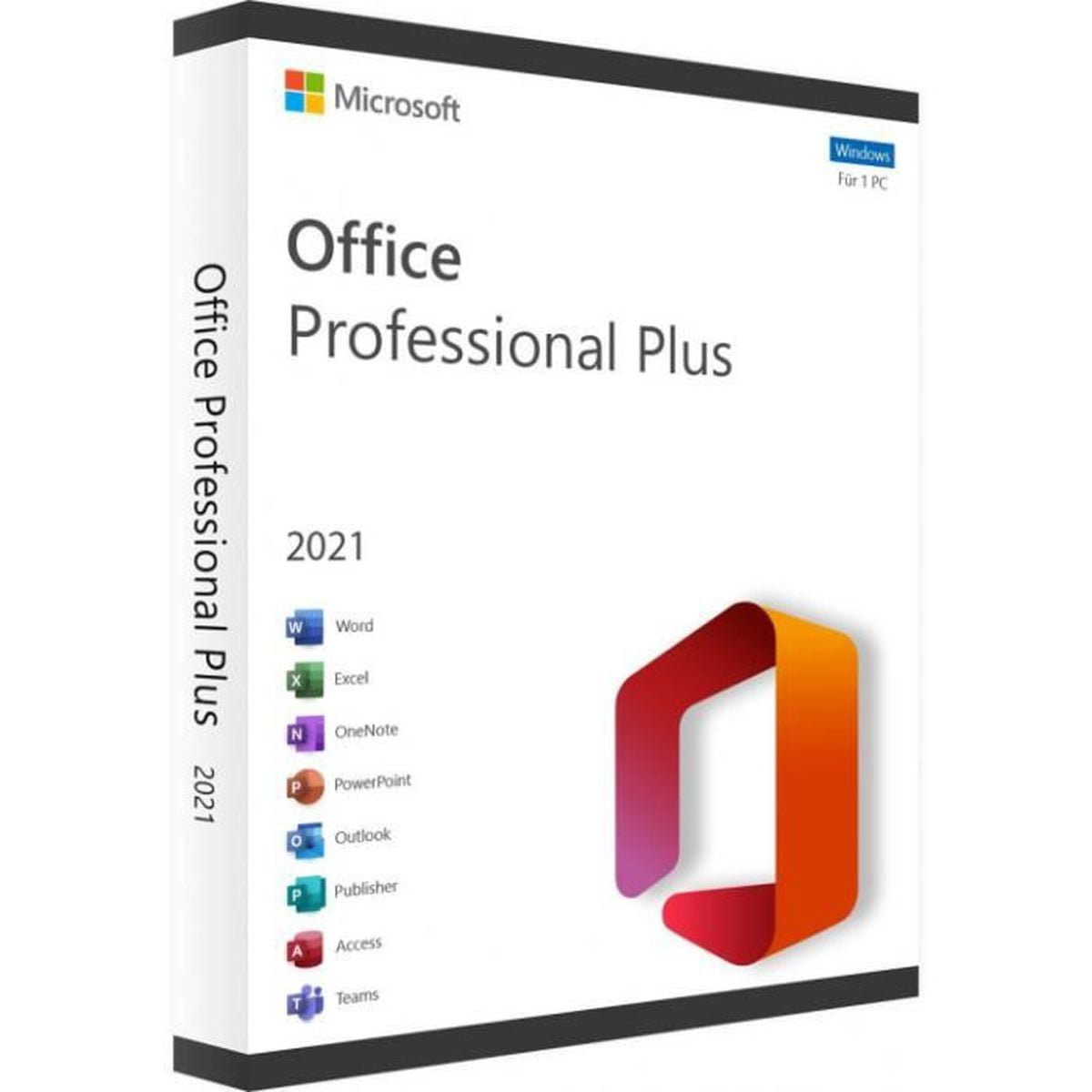

Office 2021 Professional Plus phone activation is the main focus of this Nexlic product page. This product is listed as Microsoft Office 2021 Professional Plus – Phone Activation and is offered as a digital software product through Nexlic.
Before purchasing or activating the product, review the product information carefully and follow the activation instructions supplied with your order. For technical installation and activation information, Microsoft provides official documentation covering Office 2021.
Table of Contents
- Office 2021 Professional Plus Phone Activation
- Product Overview
- Office 2021 Applications
- How Office 2021 Activation Works
- What to Check Before Purchase
- Office 2021 Installation
- Office 2021 Activation Troubleshooting
- Explore More Microsoft Office Products
- Official Microsoft Resources
- Office 2021 Support Status
- Frequently Asked Questions
- Conclusion
Office 2021 Professional Plus Phone Activation
Office 2021 Professional Plus phone activation refers to the activation method identified in the Nexlic product title. The exact activation procedure should be completed according to the instructions provided with your order.
Microsoft provides official documentation for activating Office products, including Office 2021. Depending on the product and installation scenario, Microsoft may display an Office Activation Wizard or another supported activation process.
For the best installation experience, use official Microsoft software and follow the instructions associated with your purchase. Avoid unofficial activation tools, modified installers, or unauthorized activation methods.
Product Overview
This Nexlic product is listed as Microsoft Office 2021 Professional Plus – Phone Activation. It is presented as a digital software product, and customers should review the product page and order information for the specific delivery and activation details applicable to their purchase.
Nexlic recommends checking important product information before purchasing a digital software product. This includes the software version, operating-system requirements, supported devices, activation method, product conditions, and applicable refund information.
If you have questions about delivery or activation, you can review the Nexlic FAQ or contact Nexlic support.
Office 2021 Applications
Microsoft Office is designed around familiar productivity applications used for documents, spreadsheets, presentations, email, and other professional tasks. Office 2021 is a non-subscription version of Office, and Microsoft provides separate information about the applications included with specific Office editions.
Depending on the specific Office 2021 edition, Microsoft documentation covers applications such as Word, Excel, PowerPoint, Outlook, OneNote, Access, and Publisher. The exact applications available can vary by edition, so customers should verify the applications associated with the specific product they are purchasing.
For official information about Office 2021 editions, consult Microsoft’s Office 2021 FAQ.
How Office 2021 Activation Works
Follow the supplied activation instructions
After purchasing the product, carefully review the information supplied with your order. The activation process should be completed using the instructions applicable to this specific product.
Nexlic provides product-specific information and activation instructions when applicable. If you experience a problem, first make sure that all supplied instructions have been followed correctly.
Use official Microsoft installation resources
Microsoft provides official instructions for downloading, installing, and reinstalling Office 2021. These instructions explain how to sign in, install Office, launch an Office application, and complete activation when required.
You can read the official Microsoft Office 2021 installation guide before beginning the installation process.
Follow the Microsoft activation process
After Office has been installed, opening an Office application such as Word or Excel can begin the activation process. Microsoft explains that Office may activate automatically, while some products may display the Microsoft Office Activation Wizard.
If the Activation Wizard appears, follow the instructions shown on screen. Microsoft’s official Office activation guide provides additional information.
What to Check Before Purchase
Before ordering Office 2021 Professional Plus phone activation, make sure the product matches your requirements.
- Confirm that you specifically need Office 2021.
- Review the activation method shown on the product page.
- Check your computer’s operating-system requirements.
- Review the product-specific delivery information.
- Check any device or activation restrictions stated by the seller.
- Review the applicable refund conditions before completing your order.
These checks are especially important for digital software because activation and compatibility requirements can vary between products and editions.
Office 2021 Installation
Microsoft provides official installation instructions for Office 2021 on supported systems. If your purchase requires a Microsoft account or product-key redemption, Microsoft provides instructions explaining where and how the product information should be entered.
For supported Office 2021 installations, Microsoft explains that users can sign in to the Microsoft account associated with Office and select the Office product they want to install. Installation options may include language and 32-bit or 64-bit selections where applicable.
Once installation has completed, open an Office application such as Word or Excel. Microsoft explains that Office may activate automatically or may display the Activation Wizard depending on the product.
For the complete procedure, visit the official Office 2021 installation and reinstallation guide.
Office 2021 Activation Troubleshooting
Check the supplied activation information
If Office 2021 Professional Plus phone activation does not work as expected, start by reviewing the instructions provided with your order.
Make sure that you are following the correct activation procedure and using the correct information associated with your purchase.
Check Microsoft’s activation guidance
Microsoft maintains official troubleshooting information for Office activation. The documentation covers activation scenarios and provides guidance for resolving common activation problems.
Visit Microsoft’s official Office activation support page for current troubleshooting information.
Check the Office installation
If activation problems continue, verify that Office was installed correctly and that you are using the appropriate Office version. Installing multiple Office versions on the same computer can also create configuration issues, so check Microsoft’s installation guidance before making changes.
Contact Nexlic support
If you have followed the supplied instructions and still have an activation problem, contact Nexlic support with your order information and a clear description of the issue.
You can use the Nexlic contact page for support assistance.
Explore More Microsoft Office Products
If you are comparing different Microsoft Office versions, visit the Microsoft Office Digital Licenses category on Nexlic.
You can also explore related products such as Microsoft Office 2019 Professional Plus and Microsoft Office 2016 Professional Plus.
For general purchasing and activation questions, the Nexlic FAQ provides additional information about digital products, delivery, compatibility, activation, and support.
Official Microsoft Resources
For customers who want to verify installation and activation information directly with Microsoft, the following resources are useful:
- Microsoft Office activation guide
- Microsoft Office 2021 installation guide
- Microsoft Office product-key instructions
These are standard external links to Microsoft’s official support resources. No nofollow attribute is added.
Office 2021 Support Status
There is an important lifecycle consideration for anyone purchasing Office 2021 in 2026.
Microsoft states that support for Office 2021 will end on October 13, 2026. After that date, Microsoft says it will no longer provide technical support, bug fixes, or security fixes for Office 2021 vulnerabilities. Installed Office 2021 applications may continue to function, but they will no longer receive those support updates.
Microsoft also lists Office 2021 as a non-subscription, one-time-purchase version of Office. Customers should consider the published lifecycle when deciding whether Office 2021 meets their current and future software requirements.
For the latest information, check Microsoft’s official Office 2021 end-of-support documentation.
Frequently Asked Questions
What is Office 2021 Professional Plus phone activation?
Office 2021 Professional Plus phone activation is the activation method identified in the Nexlic product title. The exact procedure should be completed according to the activation information supplied with your order.
How do I activate Office 2021?
Install Office using the applicable Microsoft installation procedure, then open an Office application and follow the activation prompts. Depending on the product, Microsoft may display the Office Activation Wizard. Always follow the activation instructions applicable to your purchase.
Where can I find Microsoft’s official Office activation instructions?
Microsoft provides an official Office activation guide covering supported Office products, including Office 2021.
Can Office 2021 be reinstalled?
Microsoft provides official instructions for reinstalling Office 2021. The process depends on how the Office product is associated with your Microsoft account and how the product was obtained.
What should I do if Office 2021 does not activate?
First, review the activation instructions supplied with your order and verify that you followed each step correctly. Then consult Microsoft’s official activation troubleshooting documentation. If the issue is related to your Nexlic order, contact Nexlic support.
What operating systems support Office 2021?
Microsoft publishes specific system requirements for Office 2021. Before installation, check Microsoft’s current documentation for the operating system and Office edition you intend to use.
When does Office 2021 support end?
Microsoft states that support for Office 2021 ends on October 13, 2026. After this date, Microsoft will no longer provide technical support, bug fixes, or security fixes for Office 2021.
Conclusion
Office 2021 Professional Plus phone activation is the central topic of this Nexlic product page. Before purchasing, review the product information, activation method, system requirements, and applicable product conditions.
After purchase, follow the supplied activation instructions and use Microsoft’s official installation and activation documentation whenever you need technical guidance.
For additional product options, explore the Nexlic Microsoft Office Digital Licenses category. If you need assistance with an order or activation instructions, use the Nexlic support page.
Important: Microsoft states that Office 2021 support ends on October 13, 2026. Customers should take this lifecycle date into account when deciding whether Office 2021 is appropriate for their needs.


Reviews
There are no reviews yet.