

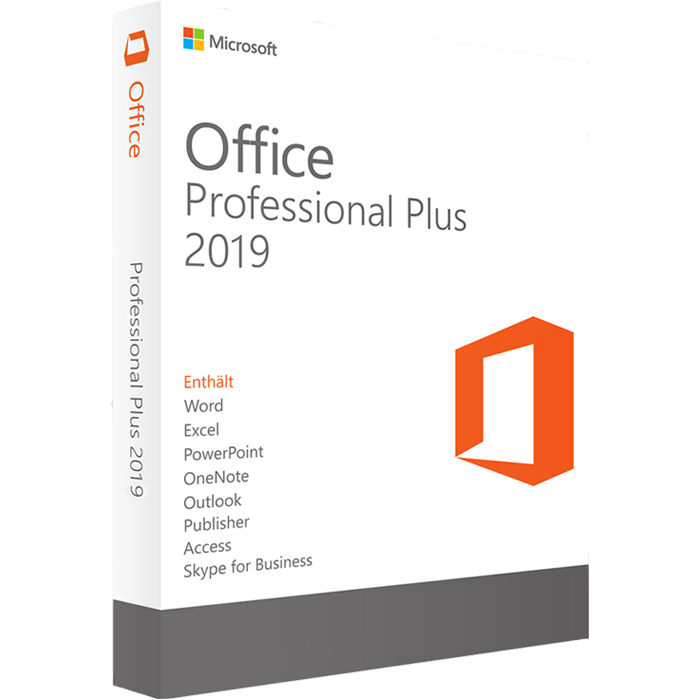
Office 2019 Professional Plus is a Microsoft Office 2019 edition designed for professional desktop productivity. The product referenced on this page is specifically identified as Microsoft Office 2019 Professional Plus – Phone Activation.
Before purchasing, it is important to understand the Office 2019 Professional Plus edition, its associated applications, installation considerations, activation information, system requirements, and Microsoft’s current support status.
Office 2019 is a specific desktop Office release and is separate from Microsoft 365. Microsoft classifies Office 2019 under its Fixed Lifecycle Policy and includes Professional Plus among the covered editions.
Important: Microsoft states that support for Office 2019 ended on October 14, 2025. Customers considering this product should therefore review Microsoft’s current lifecycle and compatibility information before purchasing.
View Microsoft’s official Office 2019 lifecycle information.
Table of Contents
- Office 2019 Professional Plus Overview
- Office 2019 Professional Plus Applications
- Office 2019 Professional Plus Features
- Office 2019 Professional Plus Phone Activation
- Office 2019 Professional Plus Installation
- Office 2019 Professional Plus System Requirements
- Office 2019 Support and Lifecycle
- Office 2019 vs Microsoft 365
- Other Microsoft Office Options
- Frequently Asked Questions
Office 2019 Professional Plus Overview
Office 2019 Professional Plus belongs to Microsoft’s Office 2019 family of desktop productivity software.
Office 2019 is different from Microsoft 365 because it represents a specific Office release rather than the continuously updated subscription model used by Microsoft 365.
Microsoft’s official documentation lists Professional Plus as one of the Office 2019 editions covered by the Fixed Lifecycle Policy.
This makes it important to distinguish between the software edition itself and the current support status. Office 2019 is an older Office generation, and Microsoft has now ended its support lifecycle.
If you are comparing different Office versions, you can also explore the Microsoft Office digital licenses available from Nexlic.
Office 2019 Professional Plus Applications
The Professional Plus edition is associated with Microsoft’s professional Office application suite.
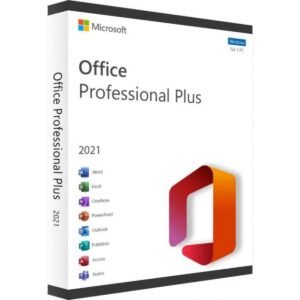
The supplied product reference identifies applications including Word, Excel, PowerPoint, Outlook, Access, OneNote, Publisher and Skype for Business.
Microsoft’s official Office 2019 documentation should be used when checking the exact application and deployment information applicable to a particular Professional Plus installation.
Microsoft Word 2019
Word is Microsoft’s desktop word-processing application. It can be used to create, edit and format documents such as reports, letters, assignments, business documents and other written content.
For users working with documents on a regular basis, Word provides the familiar desktop Office environment associated with the Office 2019 generation.
Microsoft Excel 2019
Excel is Microsoft’s spreadsheet application for organizing information, performing calculations, working with formulas, creating tables and presenting data through charts and other spreadsheet tools.
Excel 2019 can be useful for everyday spreadsheets as well as structured professional data-management tasks.
Microsoft PowerPoint 2019
PowerPoint is Microsoft’s presentation application. It allows users to create slide presentations for business meetings, education, training, projects and other presentation-based work.
Microsoft Outlook 2019
Outlook is Microsoft’s desktop application for email and personal productivity workflows. Its functionality can depend on the services and account configuration being used.
Access, Publisher and Other Applications
The supplied product reference also identifies Access, Publisher, OneNote and Skype for Business in connection with the Professional Plus edition.
Because Office editions and deployment configurations can differ, customers should consult Microsoft’s official documentation when they need to confirm the exact applications associated with a particular installation.
Office 2019 Professional Plus Features
Office 2019 Professional Plus provides the traditional desktop Office experience associated with Microsoft’s 2019 release.
Depending on the application, users can work with documents, spreadsheets, presentations, email and other professional productivity tasks.
- Microsoft Office 2019 desktop software
- Professional Plus edition
- Word for document creation
- Excel for spreadsheets and calculations
- PowerPoint for presentations
- Outlook for supported email workflows
- Additional applications associated with the Professional Plus edition
- Phone activation identified by the supplied product reference
Office 2019 should not be confused with Microsoft 365. Microsoft explains that Office 2019 is a separate Office version from the Office applications provided through Microsoft 365 plans.
You can read Microsoft’s official Office 2019 overview for additional technical information.
Office 2019 Professional Plus Phone Activation
The supplied product reference specifically identifies this product as Office 2019 Professional Plus – Phone Activation.
Phone activation is therefore the activation method identified by the product listing.
The exact activation procedure can depend on the product configuration and the activation instructions supplied with the purchase. Customers should follow the applicable activation instructions and use official Microsoft software and services whenever possible.
Avoid unofficial activation utilities, modified installers or unknown third-party activation tools. These can create security, reliability or account-related problems.
Before Activation
- Make sure you are using the appropriate Office installation.
- Check the product information supplied with your order.
- Follow the activation instructions provided for the product.
- Use Microsoft’s official software and support resources where applicable.
- Do not use unofficial activation utilities.
Office 2019 Professional Plus Installation
Before installing Office 2019 Professional Plus, check your computer against Microsoft’s applicable system requirements.
Microsoft provides official installation and setup resources for Office products. The installation process can vary depending on the Office edition, licensing configuration and installation source.
A general installation workflow can include the following steps:
- Review the applicable Microsoft system requirements.
- Obtain the appropriate Office installation files.
- Install Office on the compatible computer.
- Open an Office application after installation.
- Follow the displayed activation instructions.
- Complete the applicable phone activation process if requested.
- Confirm that the installed Office edition corresponds with your purchased product.
For official information, use Microsoft’s Office system requirements and support documentation.
Office 2019 Professional Plus System Requirements
Microsoft’s current enterprise and business Office documentation includes Office 2019 Professional Plus and provides system requirement information for the edition.
Microsoft lists requirements including a 1.6 GHz or faster two-core processor, 4 GB RAM, 4 GB of available disk space and a 1280 × 768 display for the applicable commercial Office 2019 editions. The documentation also lists supported Windows operating systems and browser requirements.
Because requirements can vary according to the installation and deployment environment, customers should check Microsoft’s current documentation before installation.
Check the official Microsoft Office system requirements.
Office 2019 Support and Lifecycle
This is an important consideration when evaluating Office 2019 Professional Plus.
Microsoft’s lifecycle documentation lists Professional Plus as an Office 2019 edition covered by the Fixed Lifecycle Policy.
Microsoft’s current lifecycle page lists the Office 2019 extended support end date as October 15, 2025 in its lifecycle table, while Microsoft’s support documentation identifies October 14, 2025 as the end-of-support date for Office 2019 suites and applications. The difference reflects Microsoft’s published timezone/date presentation across its lifecycle and support pages.
In practical terms, Office 2019 is now an out-of-support Microsoft Office release.
After the end of support, Microsoft no longer provides the normal technical support, bug fixes and security fixes associated with a supported Office release.
Microsoft specifically warns that unsupported Office versions can create security and reliability considerations over time.
For the latest information, visit the official Microsoft Office 2019 Lifecycle page.
Office 2019 vs Microsoft 365
Office 2019 and Microsoft 365 are different Microsoft product models.
Office 2019 is a specific Office release, while Microsoft 365 is Microsoft’s subscription-based productivity platform with an ongoing update model.
Microsoft states that Office 2019 is separate from Office available through Microsoft 365 plans.
Microsoft also states that connections from Office 2019 to Microsoft 365 services such as Exchange Online and SharePoint Online are no longer supported as of October 2023.
This distinction is important for users who depend on modern cloud-connected Microsoft services.
If you need an alternative Office version, you can compare this product with Microsoft Office 2021 Professional Plus.
You can also review the Microsoft Office 2016 Professional Plus product page when comparing older Office editions.
Who Is Office 2019 Professional Plus For?
Office 2019 Professional Plus may be relevant to users specifically looking for the Office 2019 generation and its traditional desktop applications.
It may also be relevant when a particular workflow, software environment or organizational requirement calls for Office 2019.
However, the end-of-support status should be considered carefully before purchasing or deploying Office 2019 today.
Users who require current Microsoft support, ongoing security servicing or modern Microsoft 365 service connectivity should compare Office 2019 with newer Microsoft Office releases or Microsoft 365.
Office 2019 Professional Plus for Professional Productivity
Office applications remain widely used for documents, spreadsheets, presentations, email and other productivity tasks.
Word can support document workflows, Excel can be used for spreadsheet and data tasks, and PowerPoint can support presentations.
The Professional Plus edition is positioned within Microsoft’s commercial Office 2019 product family, making it particularly important to verify the licensing, installation and deployment details applicable to your intended use.
What to Check Before Purchasing
Before purchasing Office 2019 Professional Plus, consider the following:
- Confirm that you specifically need the Office 2019 generation.
- Review Microsoft’s current Office 2019 support status.
- Check the applicable system requirements.
- Confirm the activation method shown for the product.
- Understand the difference between Office 2019 and Microsoft 365.
- Check whether your workflow depends on Microsoft 365 cloud services.
- Review Microsoft’s official documentation before installation.
Frequently Asked Questions About Office 2019 Professional Plus
What is Office 2019 Professional Plus?
Office 2019 Professional Plus is an edition in Microsoft’s Office 2019 product family. Microsoft specifically lists Professional Plus among the editions covered by the Office 2019 Fixed Lifecycle Policy.
Does this Office 2019 Professional Plus product use phone activation?
Yes. The supplied product reference identifies this product as Office 2019 Professional Plus – Phone Activation. Follow the activation instructions supplied with the product.
Is Office 2019 Professional Plus still supported?
No. Microsoft states that support for Office 2019 ended on October 14, 2025. Office 2019 is therefore an out-of-support Office release.
What applications are associated with Office 2019 Professional Plus?
The supplied product reference identifies applications including Word, Excel, PowerPoint, Outlook, Access, OneNote, Publisher and Skype for Business. Exact availability can depend on the edition and deployment configuration.
Is Office 2019 the same as Microsoft 365?
No. Office 2019 is a specific desktop Office release, while Microsoft 365 is a subscription-based Microsoft productivity service with a different update and service model.
Where can I check Office 2019 requirements?
Microsoft provides official system requirements for Office 2019. You can review the Microsoft Office system requirements before installation.
Can Office 2019 applications continue to work after support ends?
Microsoft states that Office 2019 applications may continue to function after support ends, but Microsoft no longer provides the normal security fixes, bug fixes or technical support associated with a supported version.
Should I consider a newer Office version?
If your requirements include current Microsoft support, ongoing security servicing or modern Microsoft 365 service connectivity, it is worth comparing Office 2019 with newer Office releases or Microsoft 365 before purchasing.
Explore More Microsoft Office Products from Nexlic
If you are comparing different Office versions, visit the Microsoft Office Digital Licenses category on Nexlic.
You can also compare Office 2021 Professional Plus, Office 2016 Professional Plus, or explore Microsoft Office 365 Pro.
For common questions about orders and products, visit the Nexlic FAQ.
Conclusion
Office 2019 Professional Plus is part of Microsoft’s Office 2019 desktop software family and the supplied product is identified as a phone activation edition.
It can be relevant to customers specifically looking for Office 2019, but Microsoft’s support lifecycle must be taken into account. Office 2019 support ended in October 2025, so customers should carefully review system requirements, activation information, Microsoft 365 connectivity and current support considerations before purchasing.
For authoritative technical information, always consult Microsoft’s official Office documentation and lifecycle resources.
Microsoft Office 2019 Lifecycle | Microsoft Office System Requirements | Microsoft Office Lifecycle FAQ


Reviews
There are no reviews yet.