

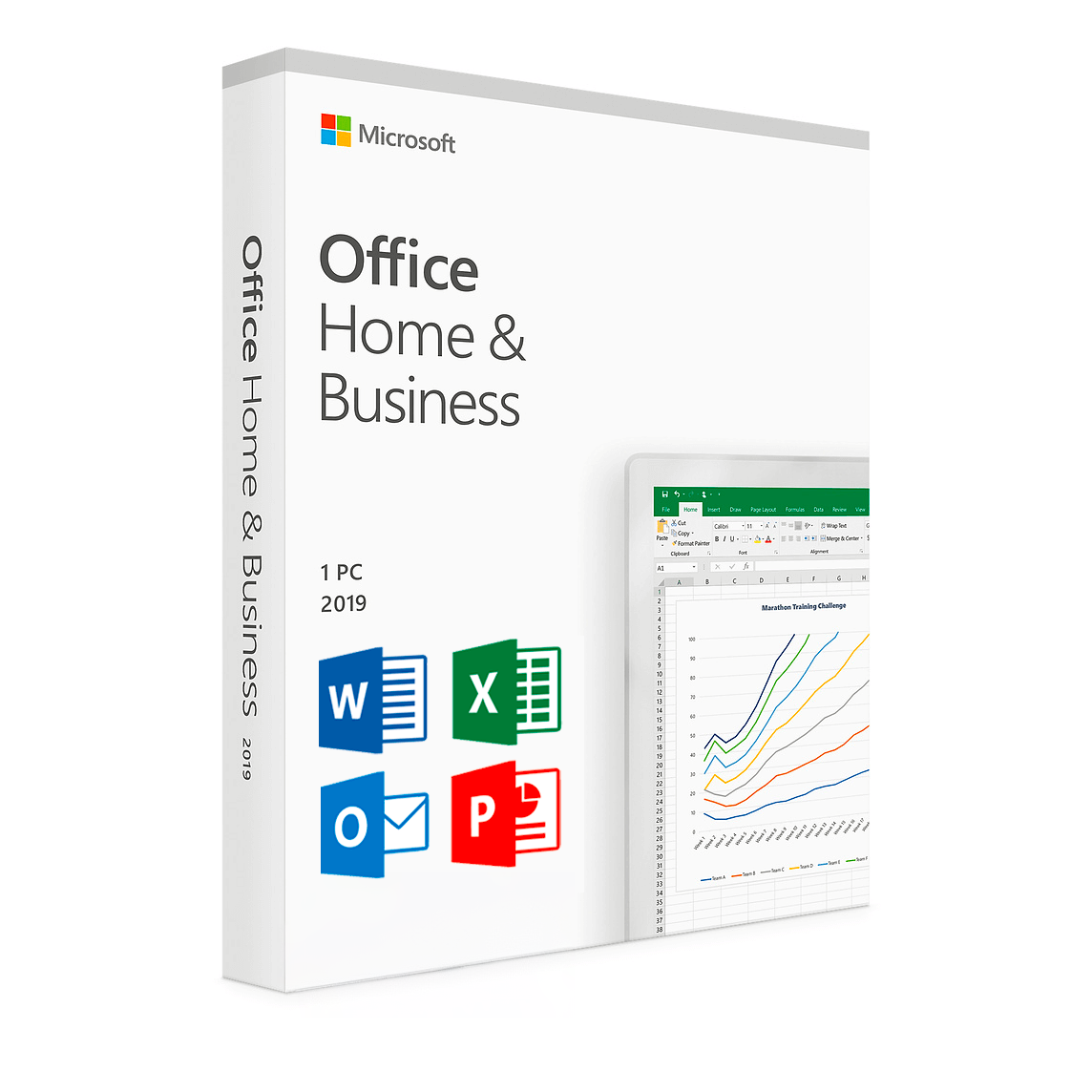
Office 2019 Home and Business is a Microsoft Office 2019 edition designed for users who want classic desktop productivity applications such as Word, Excel, PowerPoint and Outlook. The product reference supplied for this page identifies it as Microsoft Office 2019 Home and Business with phone activation.
Before purchasing or installing this product, it is important to verify the edition, operating system requirements and activation instructions that apply to your order. Microsoft also confirms that Office 2019 is now an end-of-support product, so customers should consider the support status before choosing this version.
Table of Contents
- Office 2019 Home and Business Overview
- Office 2019 Applications
- Office 2019 Features
- Installation and Activation
- System Requirements
- Office 2019 Support Status
- Before Purchasing
- Troubleshooting
- Other Office Options
- Frequently Asked Questions
- Conclusion
Office 2019 Home and Business Overview
Office 2019 Home and Business is part of the Microsoft Office 2019 family. The supplied product reference identifies this edition as a desktop Office product for PC with phone activation.
Office 2019 is a traditional version of Microsoft Office rather than a Microsoft 365 subscription. Microsoft describes Office 2019 as a separate product from Office available through Microsoft 365 plans.
The Home and Business edition is associated with core productivity applications including Word, Excel, PowerPoint and Outlook. These applications cover everyday document creation, spreadsheets, presentations and email-related tasks.
For official information about Office 2019 editions and its lifecycle, visit Microsoft’s Microsoft Office 2019 Lifecycle page.
Office 2019 Applications
Microsoft Word 2019
Word 2019 provides tools for creating, editing and formatting documents. It can be used for letters, reports, business documents, school work and other written content.
Microsoft Excel 2019
Excel 2019 is designed for spreadsheets, calculations, formulas, tables, data organization and charts. It can be useful for personal, academic and business-oriented spreadsheet tasks.
Microsoft PowerPoint 2019
PowerPoint 2019 allows users to create presentations using slides, text, images, charts and other presentation elements.
Microsoft Outlook 2019
Outlook 2019 provides email and calendar-related functionality for users who need a traditional desktop email application.
Office 2019 Features
Office 2019 Home and Business provides access to the desktop Office experience associated with the 2019 release. The applications are designed for productivity tasks without requiring a Microsoft 365 subscription simply to use the traditional desktop Office applications.
Office 2019 introduced improvements across its applications compared with earlier perpetual Office releases. However, Office 2019 should not be confused with Microsoft 365, which continues to receive ongoing feature updates as part of its subscription plans.
Because Office 2019 has reached its Microsoft support end date, customers should consider whether the 2019 release meets their current software and security requirements.
Installation and Activation
Before installing Office 2019 Home and Business, check your Windows environment and review the activation information supplied with your order.
The supplied product reference specifically identifies phone activation. Customers should therefore follow the activation instructions provided for their purchase and avoid unofficial activation tools or modified Office installers.
Recommended Installation Steps
- Check that your Windows environment meets the applicable Microsoft requirements.
- Make sure you have sufficient available storage.
- Prepare the computer before installing Office.
- Use the appropriate Office installation method for your product.
- Follow the activation instructions supplied with your order.
- Open Word, Excel, PowerPoint or Outlook and verify that the installation is working correctly.
For official installation and system information, consult Microsoft’s Office system requirements documentation.
Office 2019 Home and Business System Requirements
Microsoft’s current documentation specifically lists Office Home & Business 2019 among the Office 2019 editions. The documented requirements include a 1.1 GHz or faster, 2-core processor, 4 GB RAM or 2 GB RAM for 32-bit installations, 4 GB of available disk space and a minimum display resolution of 1280 × 768.
Microsoft’s current consumer Office requirements page lists Windows 11 for Office 2019. Microsoft also documents Office 2019 requirements for other editions and deployment scenarios.
For the most accurate and current information, always check Microsoft’s official requirements before installation because operating system and product support policies can change.
Office 2019 Support Status
Important: Office 2019 is no longer supported by Microsoft.
Microsoft states that support for Office 2019 for Windows ended on October 14, 2025. This means Office 2019 should not be presented as a currently supported Microsoft Office release.
Microsoft’s lifecycle documentation confirms that the Office 2019 lifecycle applies to editions including Home and Business, Home and Student, Personal, Professional, Professional Academic, Professional Plus and Standard.
You can verify the current lifecycle information directly on Microsoft’s official Office 2019 lifecycle page.
Microsoft also states that connections to Microsoft 365 services such as Exchange Online and SharePoint Online are no longer supported for Office 2019 as of October 2023.
This support information is important when deciding whether an older Office release is appropriate for your computer or organization.
Before Purchasing Office 2019 Home and Business
Before purchasing Office 2019 Home and Business, carefully review the product information displayed on the Nexlic product page.
Pay particular attention to the Office edition, operating system requirements and activation procedure. The supplied reference identifies phone activation, so make sure you understand the activation instructions associated with your order.
It is also important to understand the difference between Office 2019 and Microsoft 365. Office 2019 is a specific Office release, whereas Microsoft 365 is a subscription service that receives ongoing updates and features.
If continued Microsoft support is an important requirement, consider comparing Office 2019 with newer Office products before purchasing.
Office 2019 Home and Business Troubleshooting
Office installation is not working
First, verify that your Windows system meets the applicable requirements and that sufficient storage is available. If another Office version is installed, check Microsoft’s guidance regarding previous Office installations.
Activation is unsuccessful
Review the activation instructions supplied with your order and carefully follow each step. Because this product reference specifies phone activation, use the supplied activation process rather than third-party activation software.
Office applications do not open
Restart Windows and check whether the issue affects one Office application or several. You can also consult Microsoft’s official Office troubleshooting resources for the specific error message.
Microsoft services are not working with Office 2019
Office 2019 is an older release and Microsoft has ended support for it. Some Microsoft 365 service connections are also no longer supported with Office 2019. Check Microsoft’s current compatibility and lifecycle documentation before troubleshooting a service connection.
Other Microsoft Office Options
If you are comparing different Office versions, Nexlic also provides other Microsoft Office products. You can explore:
- Microsoft Office 2016 Professional Plus
- Microsoft Office 2019 Professional Plus
- Microsoft Office 2021 Professional Plus
- Microsoft Office 365 Pro
You can also browse the Microsoft Office Digital Licenses category to see the available Office products.
Frequently Asked Questions
What is Office 2019 Home and Business?
Office 2019 Home and Business is a Microsoft Office 2019 edition. The supplied product reference identifies it as a PC product with Word, Excel, PowerPoint and Outlook and specifies phone activation.
Which applications are included with Office 2019 Home and Business?
The supplied product reference identifies Microsoft Word, Excel, PowerPoint and Outlook as the applications associated with this edition.
Does Office 2019 Home and Business require activation?
Yes. The supplied product reference specifically identifies phone activation. Follow the activation instructions provided with your order.
Is Office 2019 still supported?
No. Microsoft states that support for Office 2019 for Windows ended on October 14, 2025.
Can Office 2019 connect to Microsoft 365 services?
Microsoft states that connections to Microsoft 365 services, including services such as Exchange Online and SharePoint Online, are no longer supported for Office 2019 as of October 2023.
What are the Office 2019 system requirements?
Microsoft’s current documentation lists requirements including a 1.1 GHz or faster 2-core processor, 4 GB RAM or 2 GB RAM for 32-bit installations, 4 GB available disk space and a 1280 × 768 display resolution for Office 2019 consumer editions. Check Microsoft’s current documentation before installation.
Where can I find official Office 2019 information?
The best source for current Office 2019 lifecycle and compatibility information is Microsoft’s official documentation. You can consult the Microsoft Office 2019 Lifecycle page and Microsoft’s Office system requirements.
Conclusion
Office 2019 Home and Business is a Microsoft Office 2019 edition associated with core desktop productivity applications including Word, Excel, PowerPoint and Outlook. The supplied product reference also identifies phone activation.
However, customers should be aware that Microsoft ended support for Office 2019 for Windows on October 14, 2025. For that reason, it is important to review compatibility, activation requirements and current Microsoft support information before purchasing.
If Office 2019 matches your requirements, review the complete product information on Nexlic before ordering. If you require a currently supported Microsoft Office release, compare the newer Office options available on the Nexlic store.
Official Microsoft resources:


Reviews
There are no reviews yet.