

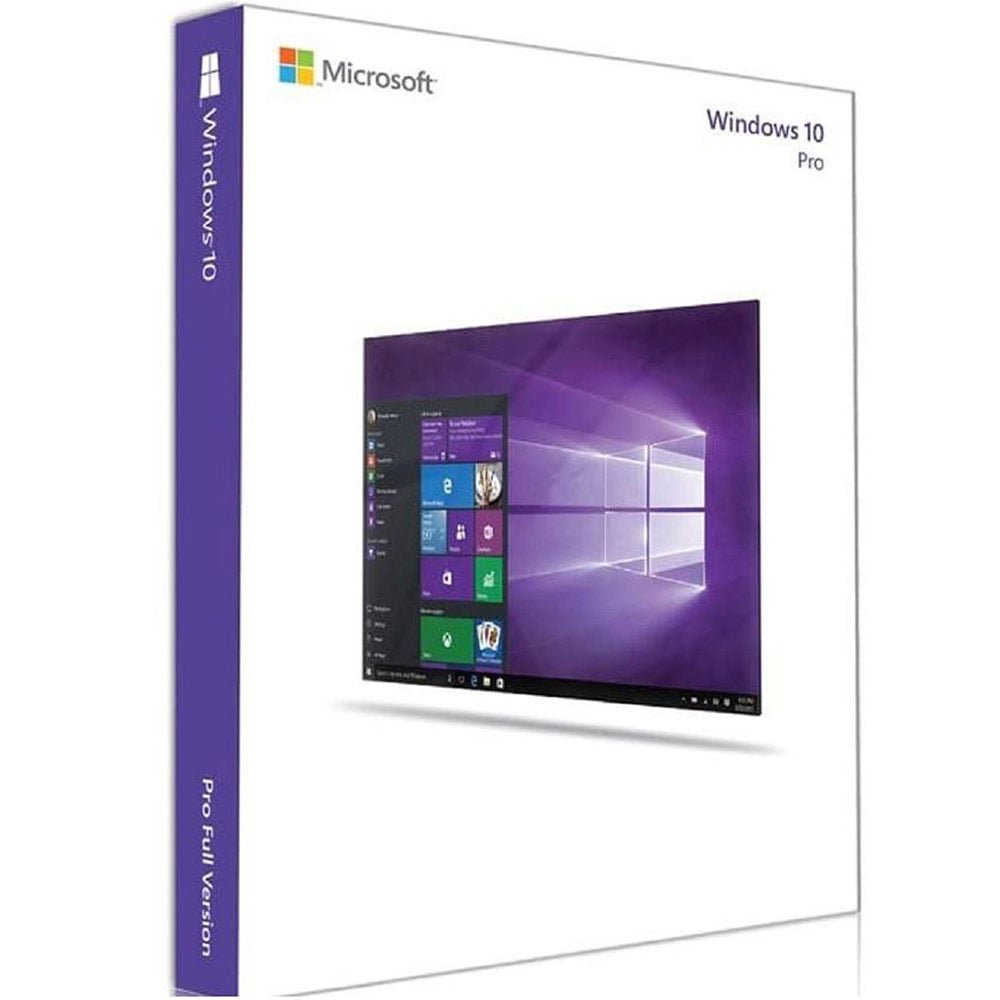
Windows 10 Pro Digital License – Online Activation
Looking for a Windows 10 Pro digital license for a compatible Windows 10 Professional installation? The Microsoft Windows 10 Professional Digital License listed by Nexlic is presented as a digital license with online activation and is identified as a Retail product in the product title.
This Windows 10 Pro digital license is intended for customers who need an activation option for Windows 10 Professional. Before purchasing, it is important to verify the Windows edition installed on your computer and review the product information carefully.
A digital license is one of the activation methods recognized by Microsoft. Depending on how Windows was obtained, activation may use a digital license or a traditional product key. Microsoft provides detailed information about Windows activation through its official Windows activation guide.
If you are comparing Windows licensing products, you can also explore the Windows Digital Licenses category on Nexlic.
Windows 10 Pro Digital License: Product Overview
The Nexlic product is listed as Microsoft Windows 10 Professional Digital License – Online Activation Retail. It is a digital software product rather than a physical DVD or USB package.
A Windows 10 Pro digital license can be relevant when you have a compatible Windows 10 Professional installation and need an applicable activation method. The product listing specifies online activation, so customers should follow the activation information provided with their order.
Before purchasing a Windows 10 Pro digital license, check the edition currently installed on your PC. Windows activation is edition-specific, so confirming that your installation corresponds to Windows 10 Professional is an important first step.
The available product information does not establish additional terms such as a specific device limit, transfer policy, warranty period, SKU, GTIN, or license duration. Such details should not be assumed unless they are explicitly stated in the current product listing or applicable license terms.
What Is a Windows 10 Pro Digital License?
A digital license is an activation method used by Windows. Microsoft distinguishes digital licenses from traditional product keys. A product key is normally a 25-character code, while a digital license can allow Windows to be activated without requiring the user to manually enter a product key in applicable circumstances.
A Windows 10 Pro digital license should therefore be understood primarily as an activation method for a compatible Windows 10 Professional installation.
The exact activation experience can depend on how Windows was obtained, the Windows edition installed on the computer, and the applicable licensing conditions.
When purchasing a Windows 10 Pro digital license, it is important not to confuse the activation method with other licensing rights. A digital license does not by itself establish additional conditions such as transfer rights, device limits, or warranty coverage unless those terms are specifically provided.
For Microsoft’s official explanation of Windows activation, see the Microsoft Windows activation documentation.
Windows 10 Pro Digital License and Online Activation
This Nexlic product is described as a digital license with online activation. Online activation requires an internet connection so that Windows can communicate with the appropriate activation services.
Before using a Windows 10 Pro digital license, make sure the computer has a reliable internet connection. You should also confirm that the installed Windows edition corresponds to the product you purchased.
The online activation process may vary depending on the state of the Windows installation and the applicable Microsoft activation process. For that reason, Microsoft’s official documentation should be used whenever you need technical activation guidance.
How to Check Windows Activation Status
You can check the activation status of Windows through the Windows Settings application.
- Open the Start menu.
- Select Settings.
- Open Update & Security.
- Select Activation.
- Review the activation information displayed by Windows.
If Windows is already activated, the Activation page will provide information about the current state of the installation. If activation requires attention, Windows may display an activation message or troubleshooting option.
If you have purchased a Windows 10 Pro digital license and need help understanding an activation message, begin with Microsoft’s official activation documentation.
Check Your Windows Edition Before Buying
Checking the Windows edition is one of the most important steps before purchasing a Windows 10 Pro digital license.
Windows 10 is available in multiple editions. A license intended for Windows 10 Professional should not automatically be assumed to apply to every edition of Windows 10.
How to Check Your Windows 10 Edition
- Open Settings.
- Select System.
- Choose About.
- Scroll to Windows specifications.
- Check the edition shown on the screen.
You can also open Settings → Update & Security → Activation to view additional activation information.
If the computer is running Windows 10 Professional, the edition corresponds to the Windows edition identified by this product. If a different edition is installed, review Microsoft’s documentation before purchasing or attempting activation.
Taking this step before purchasing a Windows 10 Pro digital license can help you avoid an edition mismatch.
Windows 10 Pro Digital License Compatibility
Compatibility should always be considered before purchasing Windows software. The first consideration is the Windows edition installed on the computer.
A Windows 10 Pro digital license is relevant to a compatible Windows 10 Professional installation. If your computer currently runs another Windows edition, review Microsoft’s guidance regarding edition changes and activation.
Hardware configuration can also be relevant to activation. Significant hardware changes may affect the activation state of Windows, particularly when important components such as the motherboard are replaced.
If your PC has recently undergone a major hardware change, consult Microsoft’s official activation troubleshooting information before assuming that a new Windows 10 Pro digital license will resolve the activation issue.
What to Check Before Purchasing
Before ordering a Windows 10 Pro digital license, take a few minutes to verify your current Windows installation.
1. Check the Windows Edition
Confirm that your computer is running the Windows edition relevant to the product. This Nexlic listing specifically identifies Microsoft Windows 10 Professional.
2. Check Your Current Activation Status
Open the Windows Activation settings and determine whether your current installation is already activated. If your computer is already activated, you may not need another activation product.
3. Review the Product Information
Read the current product description and applicable information before placing your order. Do not assume additional licensing terms that are not explicitly stated.
4. Maintain Your Order Information
After purchasing, keep your order confirmation and any digital product information supplied with the order. These details may be useful if you need assistance later.
5. Use Official Microsoft Documentation
For technical questions about Windows activation, Microsoft documentation should be your primary reference. Avoid relying on unofficial activation tools or modified system files.
Windows 10 Pro Digital License and Microsoft Activation
Microsoft recognizes digital licenses and product keys as different Windows activation methods.
A traditional product key consists of 25 characters. A digital license, on the other hand, can allow Windows to recognize an applicable activation entitlement without requiring manual product-key entry in certain situations.
The activation method available to a user depends on how Windows was obtained and the applicable licensing circumstances.
When using a Windows 10 Pro digital license, the Windows edition and activation state should therefore be checked before troubleshooting.
For more information about product keys, activation, and related Windows licensing information, visit Microsoft’s official Windows product key information page.
How to Prepare for Windows Activation
Before activating your Windows installation, make sure you have a stable internet connection and have checked the edition of Windows installed on the computer.
If you are preparing to use a Windows 10 Pro digital license, start by opening the Activation section in Windows Settings.
Review the current activation state and any messages displayed by Windows. If Windows requests activation, follow the instructions supplied by the operating system and refer to Microsoft’s official documentation where appropriate.
Avoid third-party activation programs. Unofficial activation utilities can modify Windows system files or introduce security risks and should not be used as a substitute for Microsoft’s documented activation procedures.
Using a Windows 10 Pro Digital License After Reinstallation
There are situations where users reinstall Windows because of system maintenance, software problems, or other technical reasons.
Microsoft explains that devices with an applicable digital license can, in certain circumstances, be reactivated after reinstalling the same edition of Windows.
When reinstalling Windows, make sure that the edition installed corresponds to the edition associated with the applicable license.
If you reinstall Windows after obtaining a Windows 10 Pro digital license, keep your order information available and follow the product-specific instructions supplied with your purchase.
Installing a different Windows edition can create an activation mismatch. Always verify the edition before beginning the activation process.
For official activation information, consult Microsoft’s Windows activation guide.
Hardware Changes and Windows Activation
Major hardware changes can affect Windows activation.
For example, Microsoft provides guidance for situations where significant hardware components have been replaced and Windows subsequently reports that it is no longer activated.
If you recently replaced important hardware, check Microsoft’s activation troubleshooting resources before purchasing another product.
A Windows 10 Pro digital license should not automatically be treated as a solution to every activation problem. The cause of an activation issue should first be identified.
Microsoft provides official information about troubleshooting activation problems and reactivating Windows following hardware changes.
Windows 10 Pro Digital License for Existing PCs
A Windows 10 Pro digital license may be relevant to users who already have a compatible Windows 10 Professional installation and need an applicable digital activation option.
Before purchasing, check your existing PC rather than assuming that additional licensing is necessary.
Open Windows Settings and review both the Windows edition and activation status. This provides useful information about the current installation.
If Windows reports that it is activated, review the displayed information carefully before purchasing another activation product.
If Windows reports that activation is required, note any displayed error code or message. This information can help determine the appropriate next step.
Windows 10 Support Status
Important: Microsoft ended standard support for Windows 10 on October 14, 2025.
This is an important consideration for anyone purchasing or activating Windows 10 today.
According to Microsoft, Windows 10 PCs continue to function after the end of standard support. However, standard Windows 10 no longer receives regular security updates, feature updates, or technical support under the normal product lifecycle.
Activation and support are separate matters. Activating Windows does not extend Microsoft’s standard support lifecycle for Windows 10.
Therefore, anyone considering a Windows 10 Pro digital license should understand the current support status before purchasing.
Microsoft recommends moving eligible PCs to Windows 11. Microsoft also provides information about Extended Security Updates for certain eligible Windows 10 devices.
For the most current information, consult Microsoft’s official Windows 10 end-of-support documentation.
Windows 10 vs Windows 11
If your PC supports Windows 11, you may wish to review Microsoft’s current Windows 11 information before deciding which operating system is appropriate for your device.
Windows 10 continues to operate after its standard support period, but the end of regular security updates is an important factor when considering continued use.
If you are looking for a newer Windows option, Nexlic also offers a Windows 11 Professional Digital License.
Review Microsoft’s current system requirements and support information before making a decision about your operating system.
Digital Product Delivery
The Nexlic product is listed as a digital license. A digital software product does not require delivery of a physical DVD or USB package.
Customers should follow the delivery information supplied with their order and retain their order confirmation.
The precise delivery format and any product-specific conditions should be determined from the current Nexlic product information rather than assumed.
If you have questions about digital products, visit the Nexlic FAQ.
Windows 10 Pro Digital License Troubleshooting
If your Windows 10 Pro digital license does not activate as expected, begin with the following checks.
Check Your Internet Connection
Because this product is identified as an online activation license, verify that your computer is connected to the internet.
Confirm Windows 10 Professional Is Installed
Check the Windows edition in Settings → System → About. Make sure the installed edition corresponds to the product.
Review Activation Settings
Open Settings → Update & Security → Activation and review the exact message displayed by Windows.
Record Any Error Code
If Windows provides an activation error code, record the exact code. Error codes can provide useful information when troubleshooting.
Microsoft provides an official resource for Windows activation errors.
Avoid Unofficial Activation Tools
Do not use unauthorized activation scripts, modified Windows files, or unknown activation software. These tools may create security or system stability problems.
Contact Nexlic for Product or Order Questions
If your question concerns your Nexlic order or the digital product supplied with your purchase, contact Nexlic through the Nexlic Contact page.
Windows 10 Pro Digital License FAQ
What is a Windows 10 Pro digital license?
A Windows 10 Pro digital license is an activation method associated with Windows 10 Professional. Microsoft documents digital licenses as one method through which applicable Windows installations can be activated.
Is this product for Windows 10 Professional?
Yes. The Nexlic product is listed as Microsoft Windows 10 Professional Digital License – Online Activation Retail. Always verify your installed Windows edition before purchasing.
How do I check Windows activation status?
Open Settings → Update & Security → Activation. Windows will display information about the current activation state.
Is a digital license the same as a product key?
No. Microsoft distinguishes between digital licenses and 25-character product keys. A digital license can provide an activation method without requiring manual product-key entry in applicable circumstances.
Can I reinstall Windows after activation?
Microsoft explains that an applicable digital license can allow a device to reactivate after reinstalling the same Windows edition in certain circumstances. Always install the edition corresponding to the applicable license.
Can hardware changes affect my activation?
Yes. Significant hardware changes can affect Windows activation. Microsoft provides troubleshooting information for users whose activation status changes after major hardware modifications.
Does Windows 10 still receive regular security updates?
Standard Windows 10 support ended on October 14, 2025. Microsoft no longer provides regular security updates and technical support under the standard Windows 10 lifecycle.
Certain eligible devices may have access to Microsoft’s Extended Security Updates program.
Can I upgrade from Windows 10 to Windows 11?
If your computer meets Microsoft’s Windows 11 requirements, you can review Microsoft’s upgrade information. Eligible devices may be able to move to Windows 11.
Where can I find other Windows licenses?
Visit the Nexlic Windows Digital Licenses category to explore other available Windows products.
Where can I get assistance with my order?
For questions concerning your order or digital product, visit the Nexlic FAQ or contact Nexlic.
Why Check Microsoft Documentation?
Windows activation can involve different scenarios depending on the edition, installation method, hardware configuration, and applicable licensing conditions.
For that reason, Microsoft’s official documentation should be used for technical activation questions.
If you are troubleshooting a Windows 10 Pro digital license, Microsoft’s documentation can help you determine whether the issue relates to the Windows edition, activation status, product key, hardware changes, or another system condition.
Using official documentation also helps you avoid unofficial activation utilities and inaccurate instructions found on third-party websites.
Important Information Before Ordering
A Windows 10 Pro digital license should be purchased only after reviewing the product information and confirming that Windows 10 Professional is appropriate for your computer.
Check the installed Windows edition, activation status, and current Microsoft support lifecycle.
Remember that activation does not extend the standard support lifecycle of Windows 10. Microsoft ended standard support on October 14, 2025.
If your computer is compatible with Windows 11, consider reviewing the current Windows 11 options and Microsoft’s latest support information before deciding which operating system to use.
Conclusion
The Windows 10 Pro digital license offered through this Nexlic product listing is presented as a Microsoft Windows 10 Professional digital license with online activation and Retail identification in the product title.
Before purchasing, verify that your computer is running the appropriate Windows edition and check the current activation status. Follow the activation instructions supplied with your order and use Microsoft’s official documentation for technical Windows activation guidance.
A Windows 10 Pro digital license concerns Windows activation, while Microsoft’s support lifecycle is a separate consideration. Standard Windows 10 support ended on October 14, 2025, so customers should understand the implications of continuing to use Windows 10.
If your computer supports Windows 11, you may also wish to review Microsoft’s current Windows 11 information and the Windows products available through Nexlic.
For customers who specifically need an activation option for a compatible Windows 10 Professional installation, this product provides the digital licensing option described in the Nexlic product listing.
Related resources:


Reviews
There are no reviews yet.